A Better Mechanical Keyboard
Research/Problem
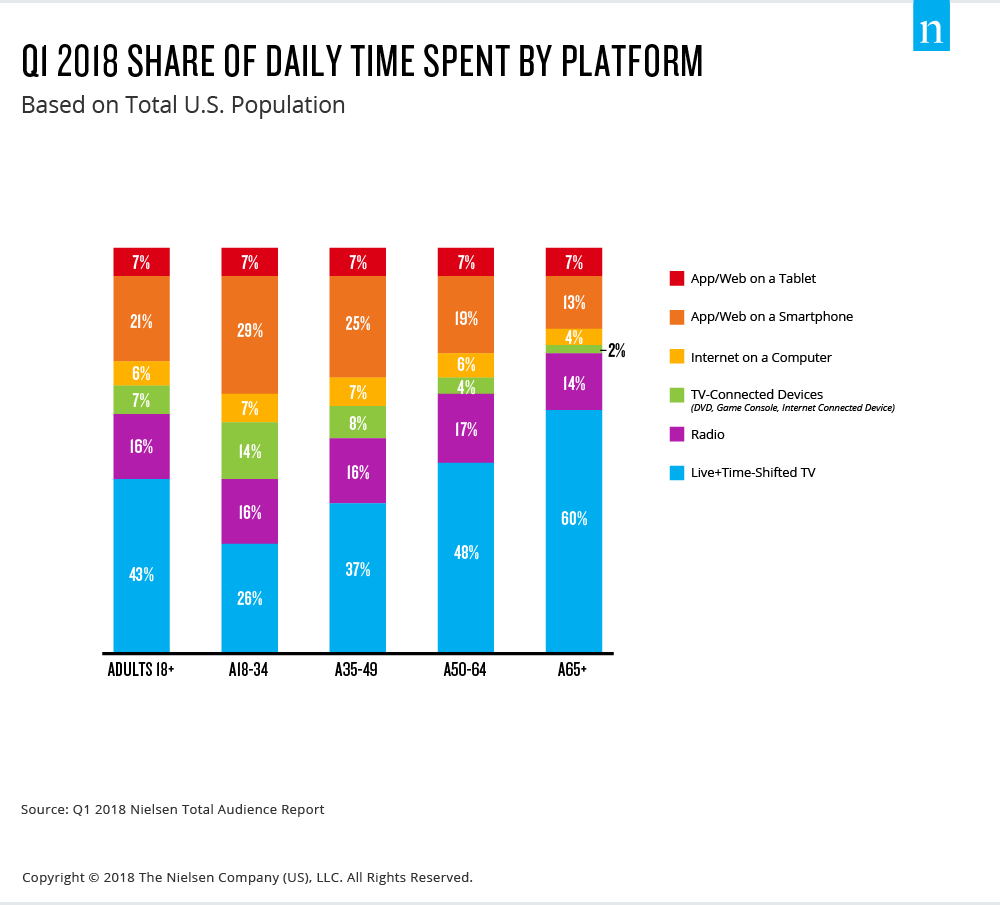
Every year, technology becomes more integrated into our society, and into our daily lives. In 2018, technology usage reached a new high, with Americans spending an average of 11 hours per day on devices. Devices have become a massive part of our lives. We no longer go to banks to manage our money, we do it online. We connect with friends and communicate online, and spend more and more time using devices to work through our lives. 18-34 year olds are the largest users of devices today, being early adopters of new technologies and acting as the target audience for many digital companies. Of those 11 hours per day spent on devices, 43% of the time is spent using a keyboard. That’s roughly five hours per day! It is becoming more and more clear that computers and digital devices are the destination that our society is progressing toward. At five hours of usage per day, it is becoming more imperative that our interfacing becomes more accurate and reliable. Every keystroke counts. Renowned innovator and thinker, Elon Musk, explains this concept eloquently, saying “you are already a cyborg” in a recent interview with Joe Rogan. He describes how almost every tenet of our lives is now taking place through technology, and the only way into the future is to break down the communication barriers between our brains and the devices, one day reaching the point of spinal-tap style implants. This keyboard aims to help bridge the gap between now and the future.
Keyboard History
Computer keyboards, when they were originally invented, were strikingly accurate, tactile, and robust. Over the years, however, manufacturers began to prioritize cheap production costs over product quality, and the demise of the keyboard began. Between the late nineties and mid 2000’s, keyboards drastically decreased in quality. However, those passionate about early keyboards such as the famous IBM model M started to trade and collect them, communicating through online forums. The Model M Keyboard was the first board to pinnacle the buckling-spring style switch. A buckling spring uses an individual spring under each switch which uses a mechanical action to register a keystroke and send a signal to the computer.
These model Ms quickly became challenging to find, but the passion of the community stayed strong. From this, switch makers like Cherry, a german plastic company, began to design switches for modern day mechanical keyboards. Thusly, the age of the modern mechanical keyboard began.
The core difference between the typical computer keyboard and the modern mechanical keyboard lies in the switches. A typical inexpensive keyboard relies on “rubber-dome” style switches.
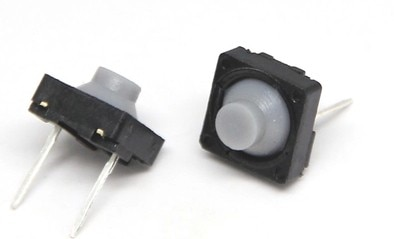
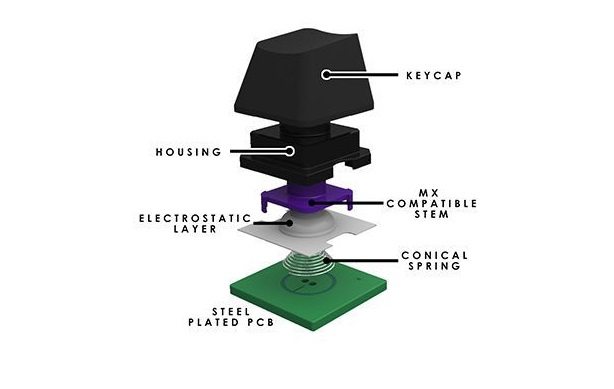
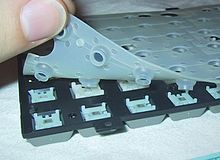
The rubber dome switch utilizes a rubber dome, which when the key is bottomed out [completely pressed], connects contacts on the PCB. The rubber dome delivers a semi-reliable key actuation, but requires a full bottom out and uses rubber, which can age weather over time, creating a less reliable actuation. A full bottom out is not easily felt, so accuracy can be reduced. Along with this, with a full bottom out, more energy is required for each keystroke, decreasing typing efficiency.
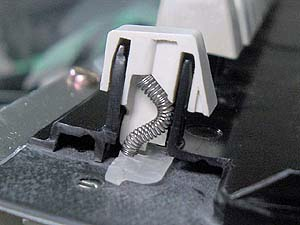
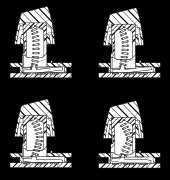
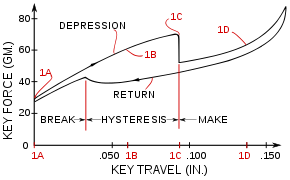
A mechanical switch, on the other hand, actuates before the bottom out. Loosely based on the “buckling spring” switches of the model M and others, mechanical switches actuate about halfway through the total travel with a mechanical action. Buckling springs used a purely mechanical and rather crude actuation system of fitting oversized springs into the keycaps, which when pressed past the actuation point, would buckle, and actuate the keystroke. The action has a rather latent return to neutral, making it less than ideal for modern keyboards. This action can be seen below. Newer mechanical switches use a much less latent action which is more consistent, and will be discussed in the design section.
Problem and Product Description
The Better Mechanical Keyboard aims to improve our communication with devices by creating a reliable and consistent way to interact. Keyboards on the shelf at Best Buy and Amazon are inaccurate, break easily, and create unnecessary challenges with interfacing that slow our productivity and efficiency on computers. There is already a better type of keyboard available: the mechanical keyboard. Mechanical keyboards use a mechanical switch action to almost completely remove the possibility of key misfires, and improve customizability and accuracy. However, most mechanical keyboards are bulky, uncomfortable, loud, and challenging to transport. They tend to be expensive, which increases the barrier to entry by making users afraid to use them. The Better Mechanical Keyboard is constructed as a split keyboard, with a piece for each hand. This layout increases ergonomic comfort by reducing shoulder roll and allowing a variety of layouts which can benefit anybody from creative professionals to gamers. Each half is constructed of plastic and rubber to dampen noise. The two halves connect into a small clamshell, protecting the keycaps and switches for travel. It also features a mix of dampened high quality mechanical switches organized to increase accuracy and tactile feel. The keys are laid out in an ortholinear fashion to create better ergonomics and more depth of customizability through programming. The Better Mechanical Keyboard has the accuracy and tenets of a mechanical keyboard, without the bulk, noise, or fragility.
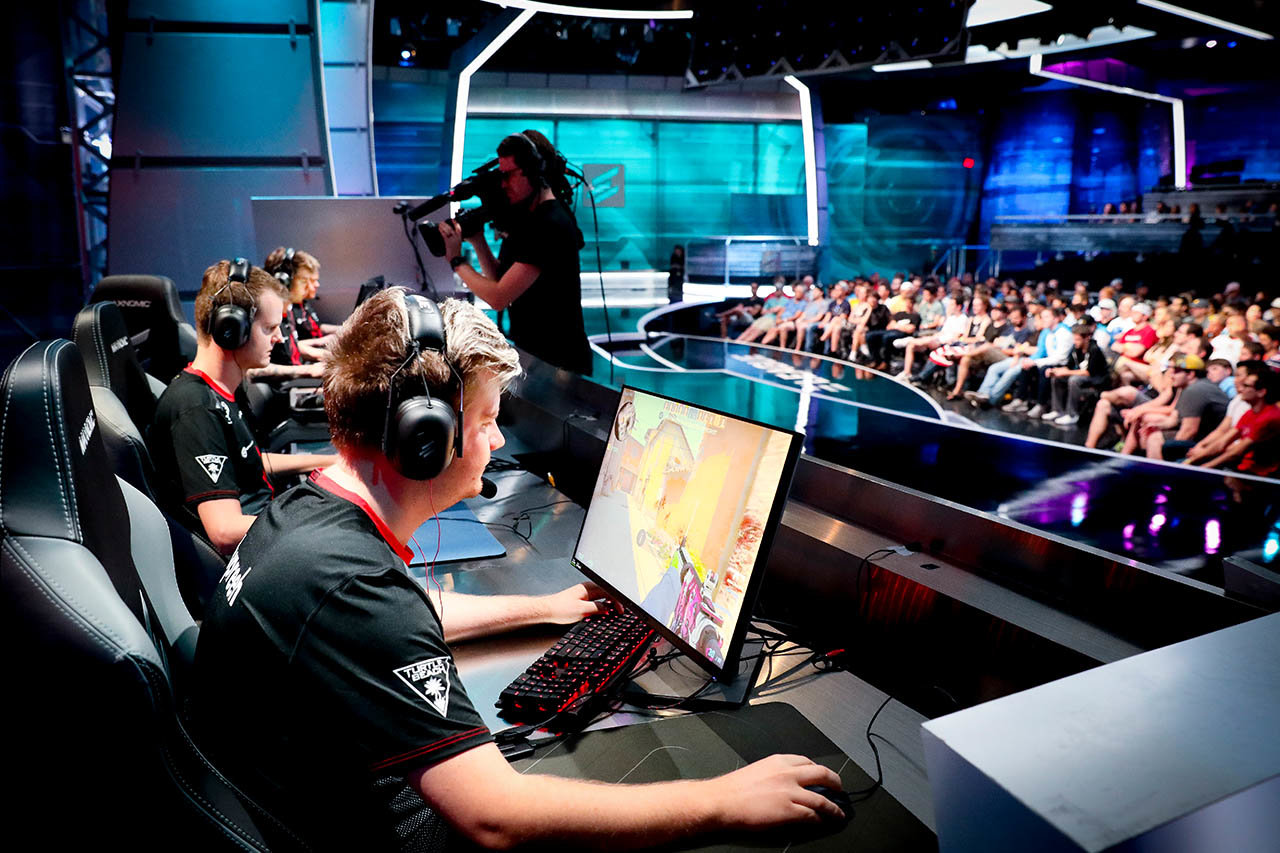
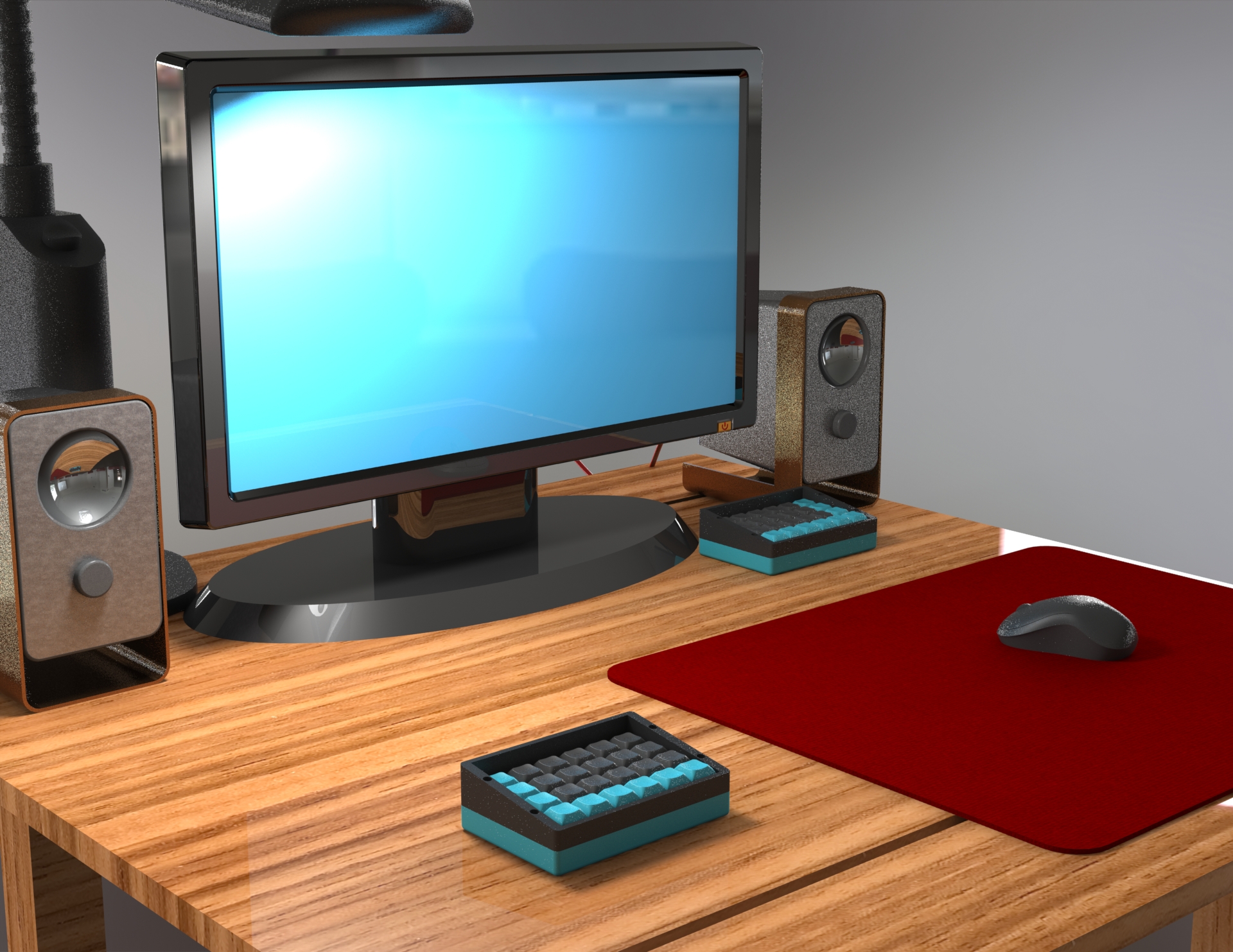
A professional gaming setup is improved by using the Better Mechanical Keyboard. As seen on the left, a full-size (mechanical) keyboard is being used, and must be turned and twisted to fit the massive mouse pad needed for accuracy in FPS gaming. The Better Mechanical Keyboard on the right solves this problem by removing half of the board, allowing flexibility in hand placement and ample room for even the biggest mouse pad.
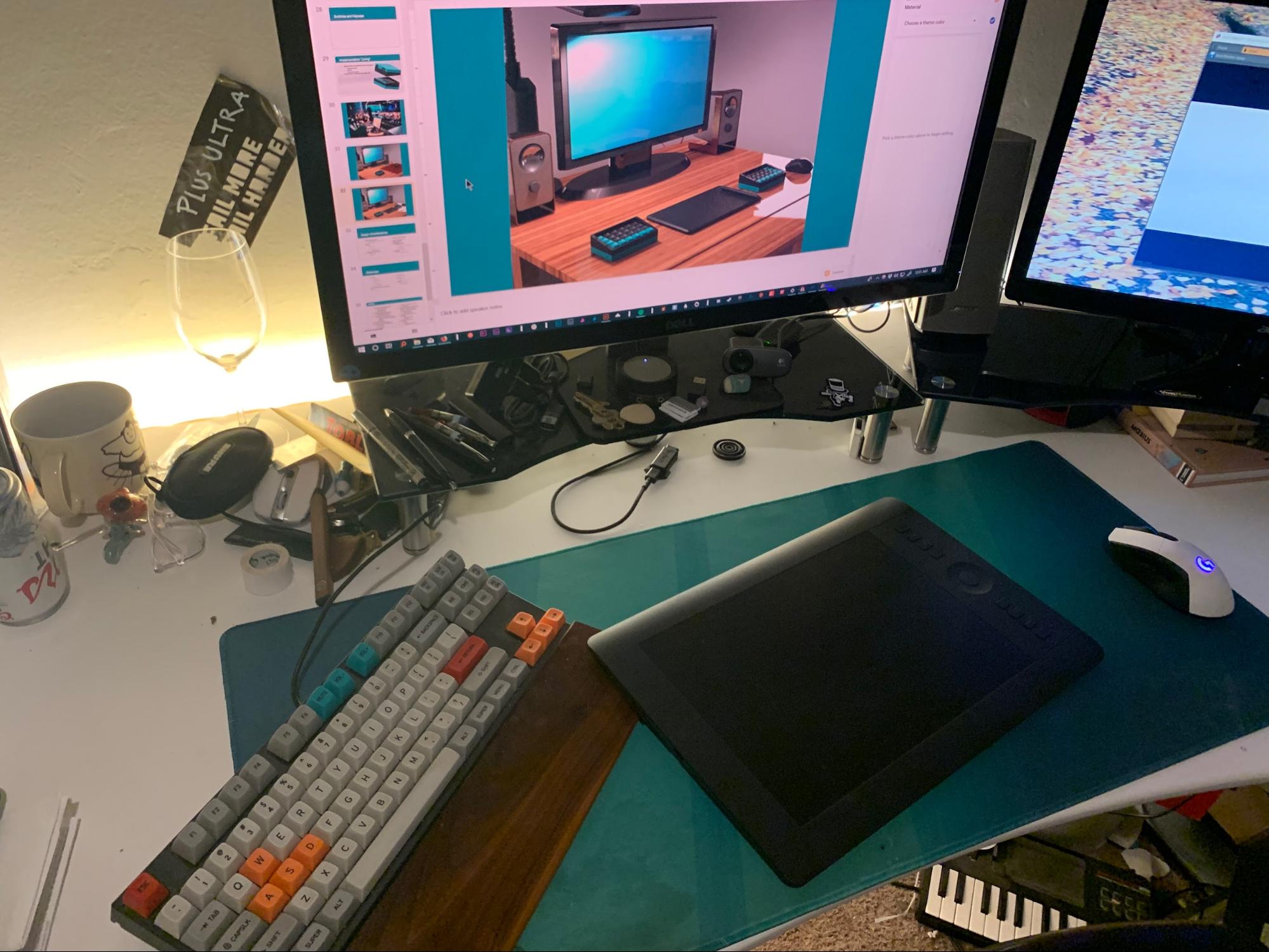
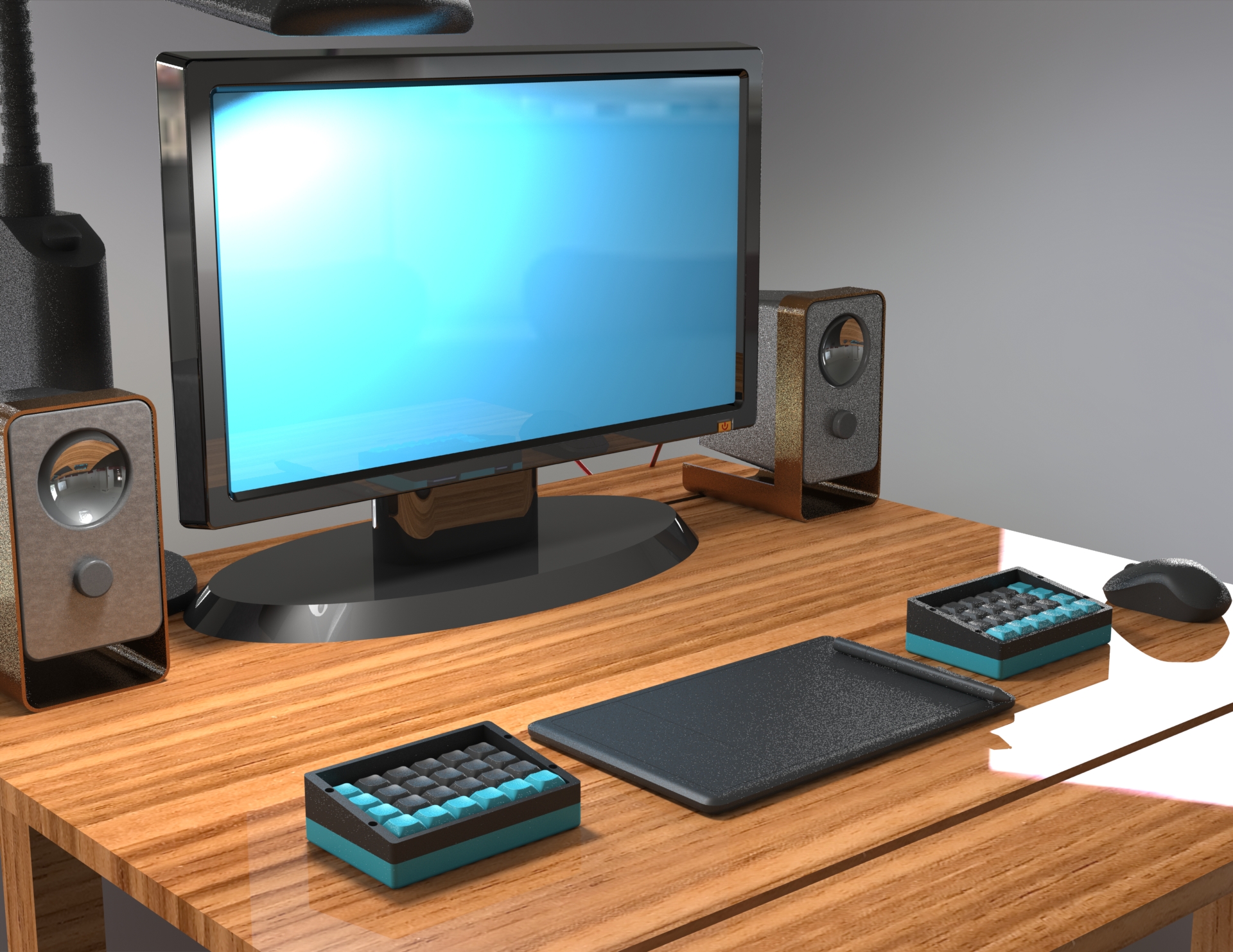
A professional digital creative setup typically involves a drawing tablet, which can be challenging to fit into even large desks. Shown on the left is a desk setup used when working with digital brush tools, typically in photoshop or illustrator. This creates an uncomfortable, twisted typing position when use of the keyboard is needed, and leaves very little room for a mouse. Using the Better Mechanical Keyboard, the workspace is centered around the tablet with no loss in functionality from the keyboard.
Design
Keyboard Anatomy
Before talking about the project’s design, it is important to understand the anatomy of a mechanical keyboard.

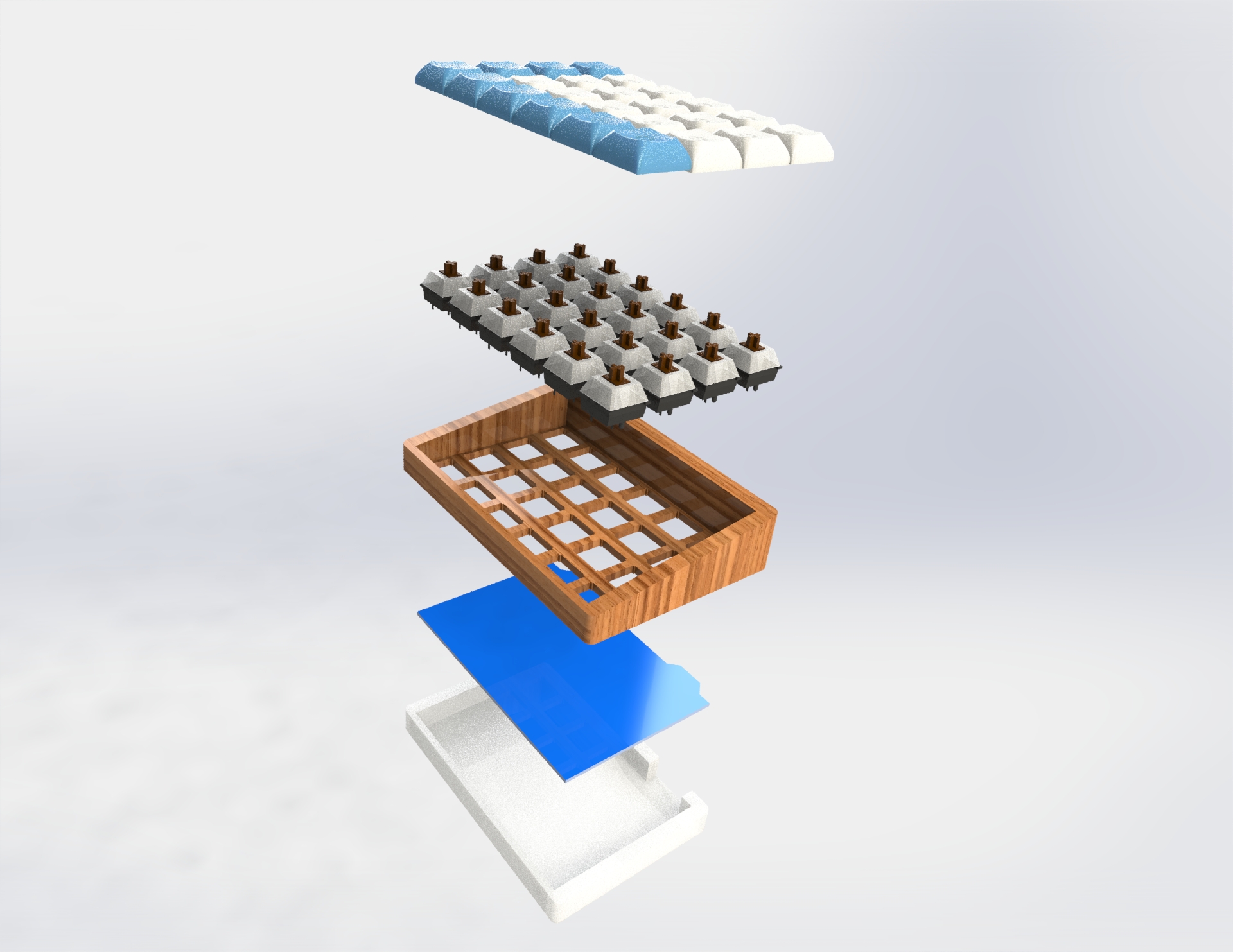
From top to bottom, a keyboard consists of:
- Keycaps
- Switches
- Plate
- PCB
- Case
Keycaps are where your fingers interface with the keyboard, and have legends on them. Keycaps are directly attached to switches which are the point where a keystroke is registered. Switches are mounted to a plate, which in this case is built into the case. The plate holds the switches in place. Underneath the plate, the switches are soldered to the PCB, which does wires the system and contains the microcontroller that communicates with the computer. This is then housed by the bottom of the case, containing the whole brain of the unit.
Implementation
- Build board using minimal parts
- Simple setup
- Create dampening solutions
- Use Let’s Split PCB to avoid wiring issues
- Use hard exterior material to protect from damage
- Design unique switch layout to improve touch typing experience
- Create ergonomic experience with flat key platform
Ergonomics
Rounded shoulder:
Rounded shoulder posture has plagued the connected world since we have had computers in the workplace, but has been exacerbated by the rise in phones and computer usage. A curled posture at the desk can even create respiratory issues.(Kang) Using a split keyboard can decrease this effect by allowing your arms to sit straight out from the shoulder, reducing the chance of shoulders rolling forward and inward. For this reason, a split board design was chosen to counteract the rounded shoulder epidemic.
Tilt angle:
Mass-produced keyboards have defined an upward tilt angle to be the most comfortable for use, but recent ergonomic studies have determined that a negative tilt angle is actually best for the
wrists and hands ideally, the wrist is completely flat when typing. Since most people are used to an upward tilt angle, a flat tilt angle was chosen. (Hedge)(Cornell)
Ortholinear:
Ortholinear boards have keycaps aligned in a matrix of rows and columns, rather than the typical staggered setup that most people are used to. Using an ortholinear setup has not been proven to improve typing, but general consensus among keyboard enthusiasts is that it makes homing easier. When using a programmable, multi function-layer keyboard like the Better Mechanical Keyboard, this improvement in homing makes remembering custom layouts easier.
Initial Product Design
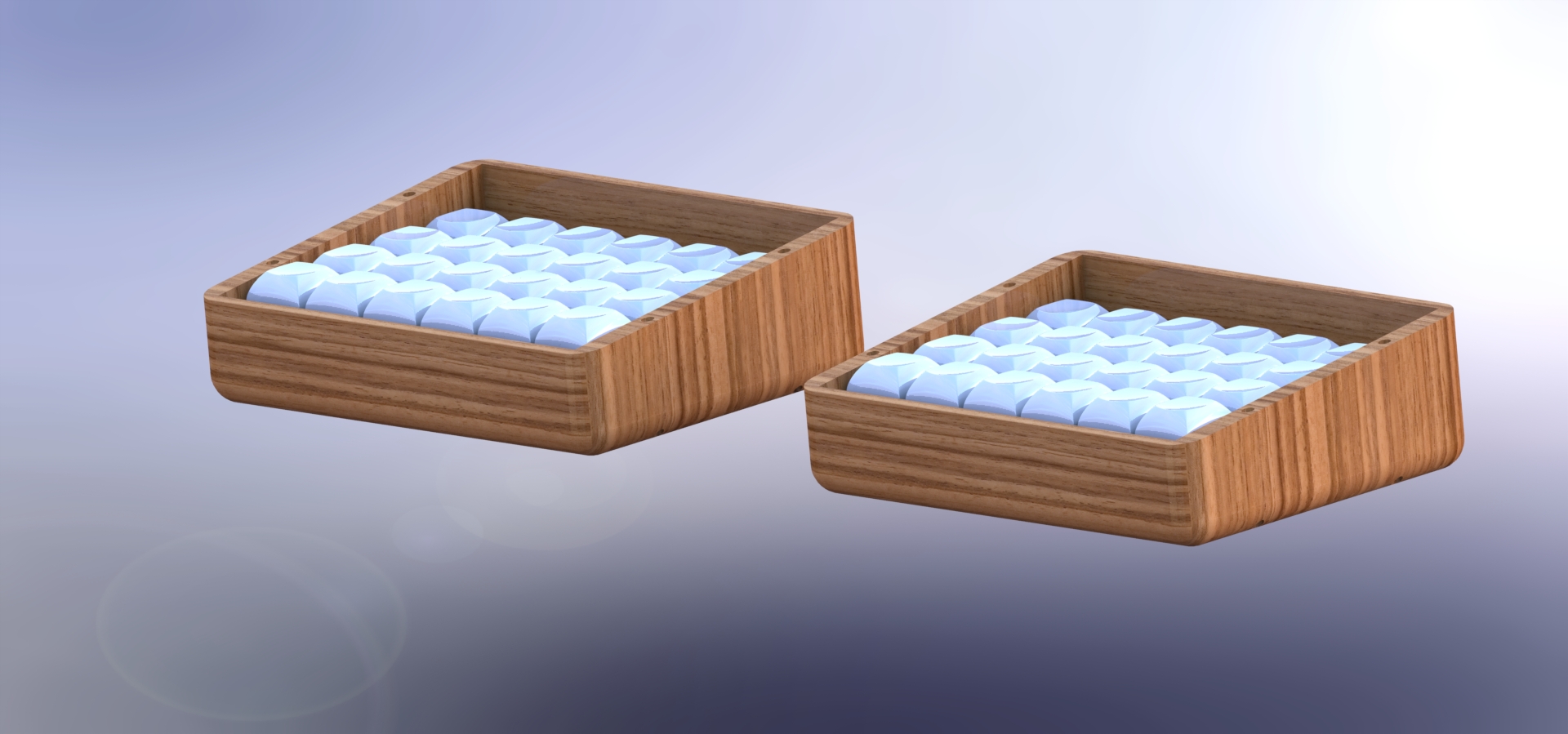
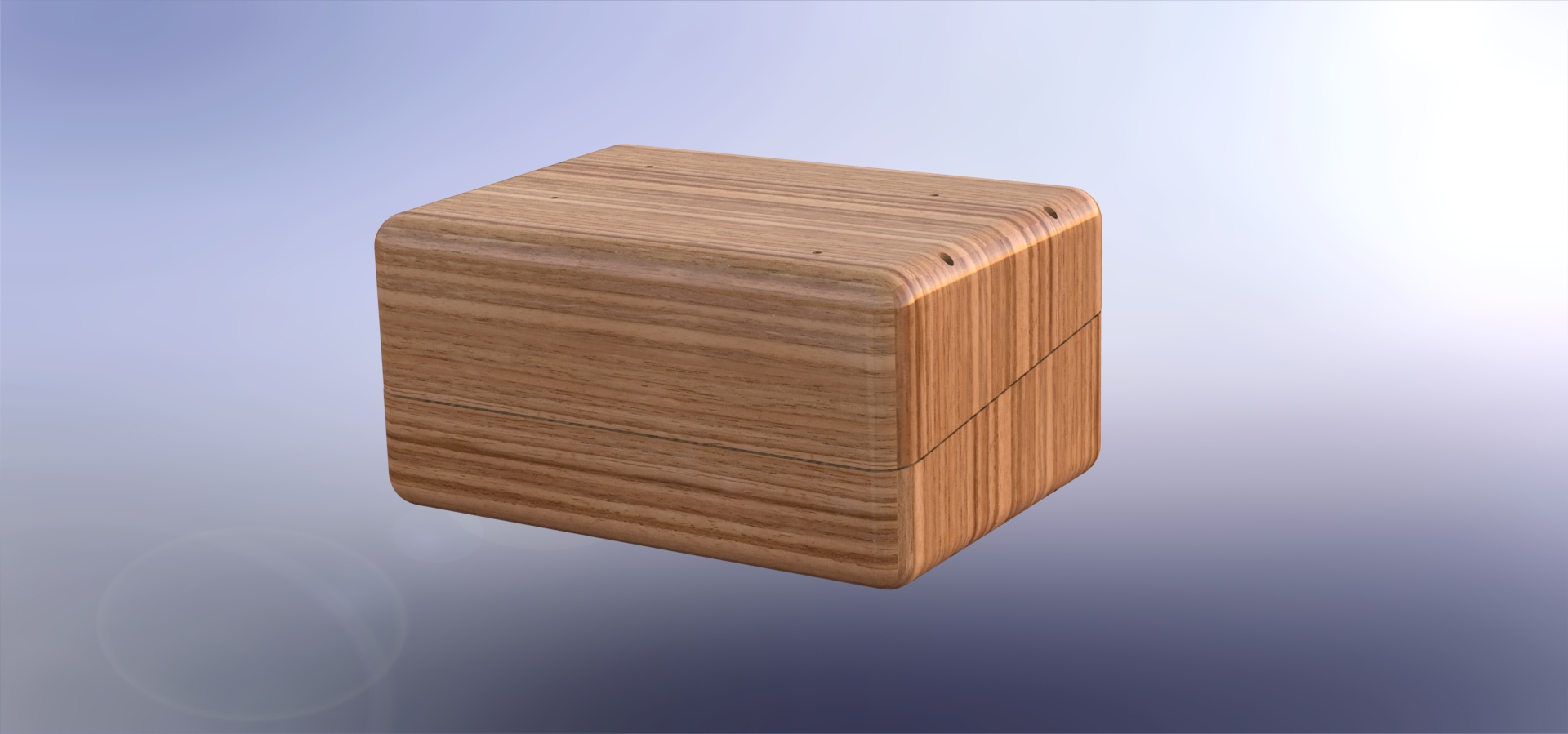
To create the ideal mechanical keyboard, the best solution was a split board to prevent rounded shoulder posture and increase portability. The keyboard halves stick together, protecting the switches and keycaps and enabling the boards to be thrown into a bag without worry. The two halves would fasten using bar magnets inserted into holes on top of each half. For the construction, an acrylic plate was mounted on posts from the bottom of the case, lifting the switches high enough to leave room for the PCB under them.
The PCB was purchased from a small independent designer. Using a PCB makes the product slimmer and leaves less room for error with wiring. Diodes were soldered to the PCB at each switch as well as the microcontroller. The switches were mounted on an acrylic plate created by the same manufacturer as the PCB.
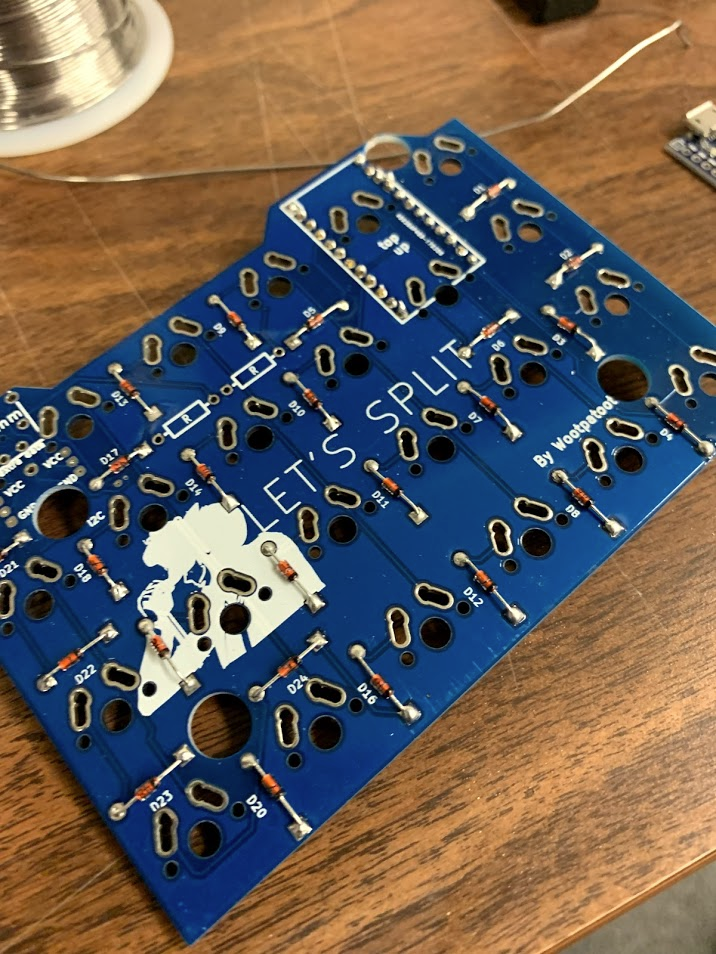
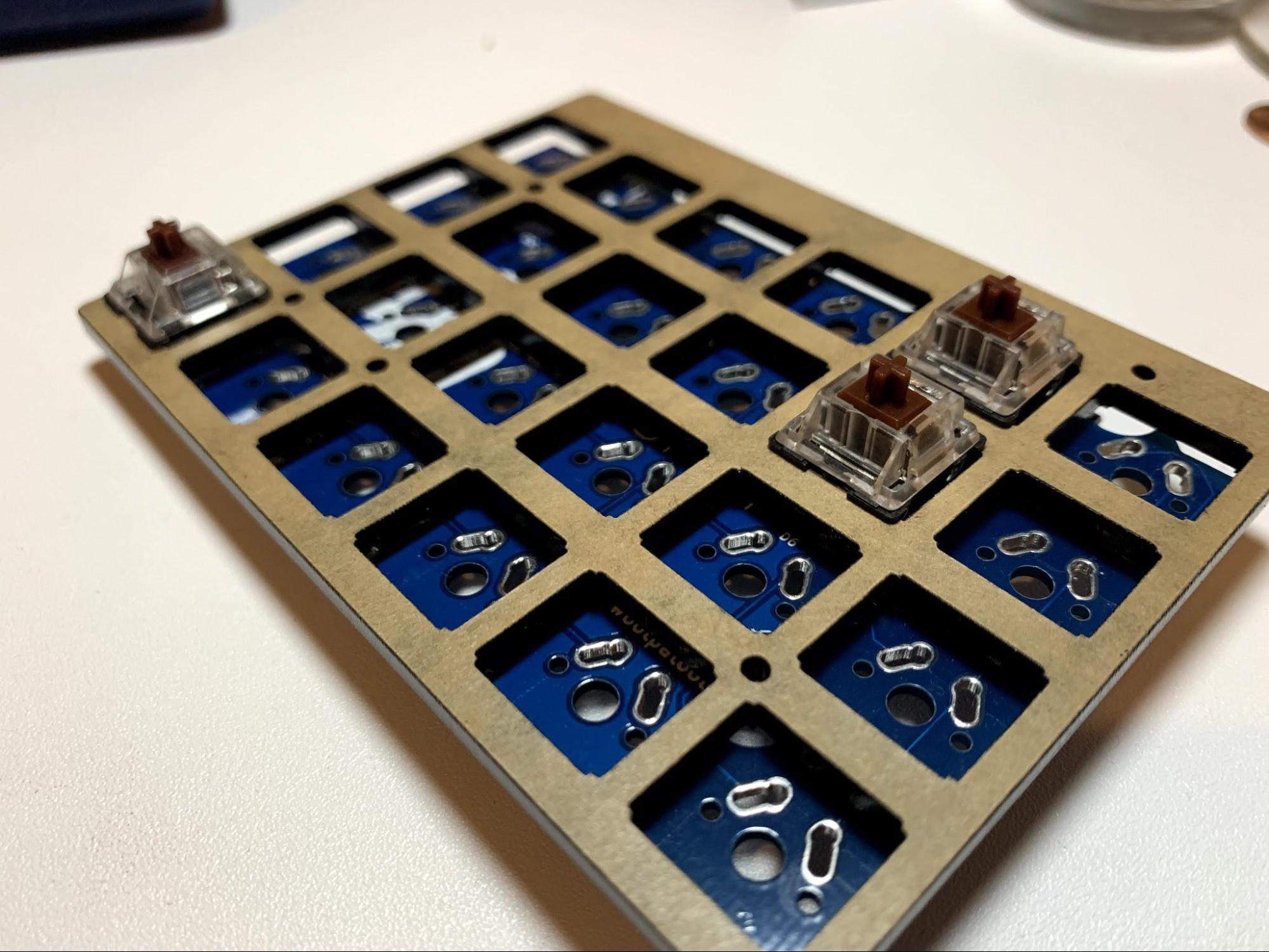
Still, this used many small parts and a somewhat cumbersome assembly using 14 pieces.
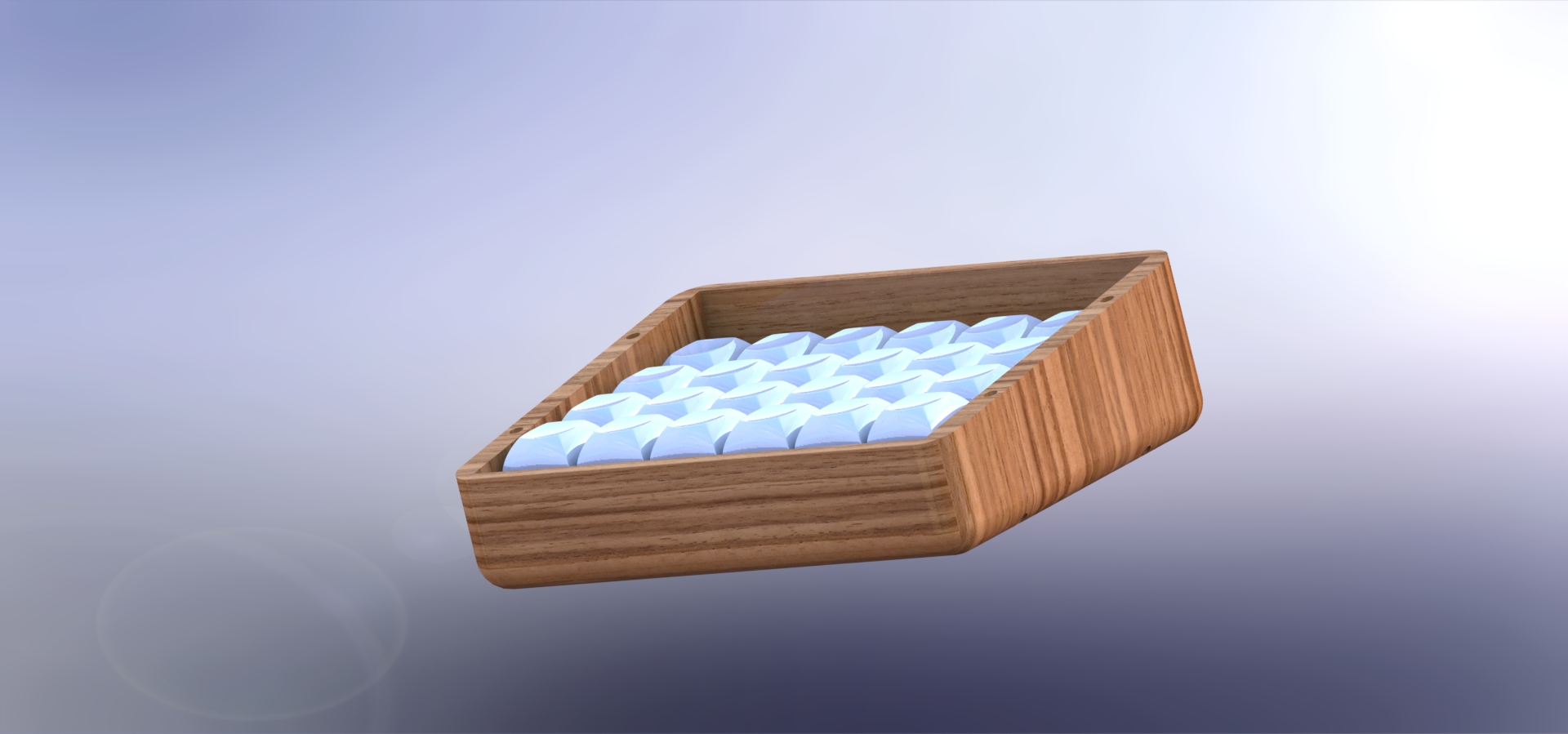
This initial SolidWorks design was printed in PLA at the innovation sandbox for a testfit and ergonomic testing.
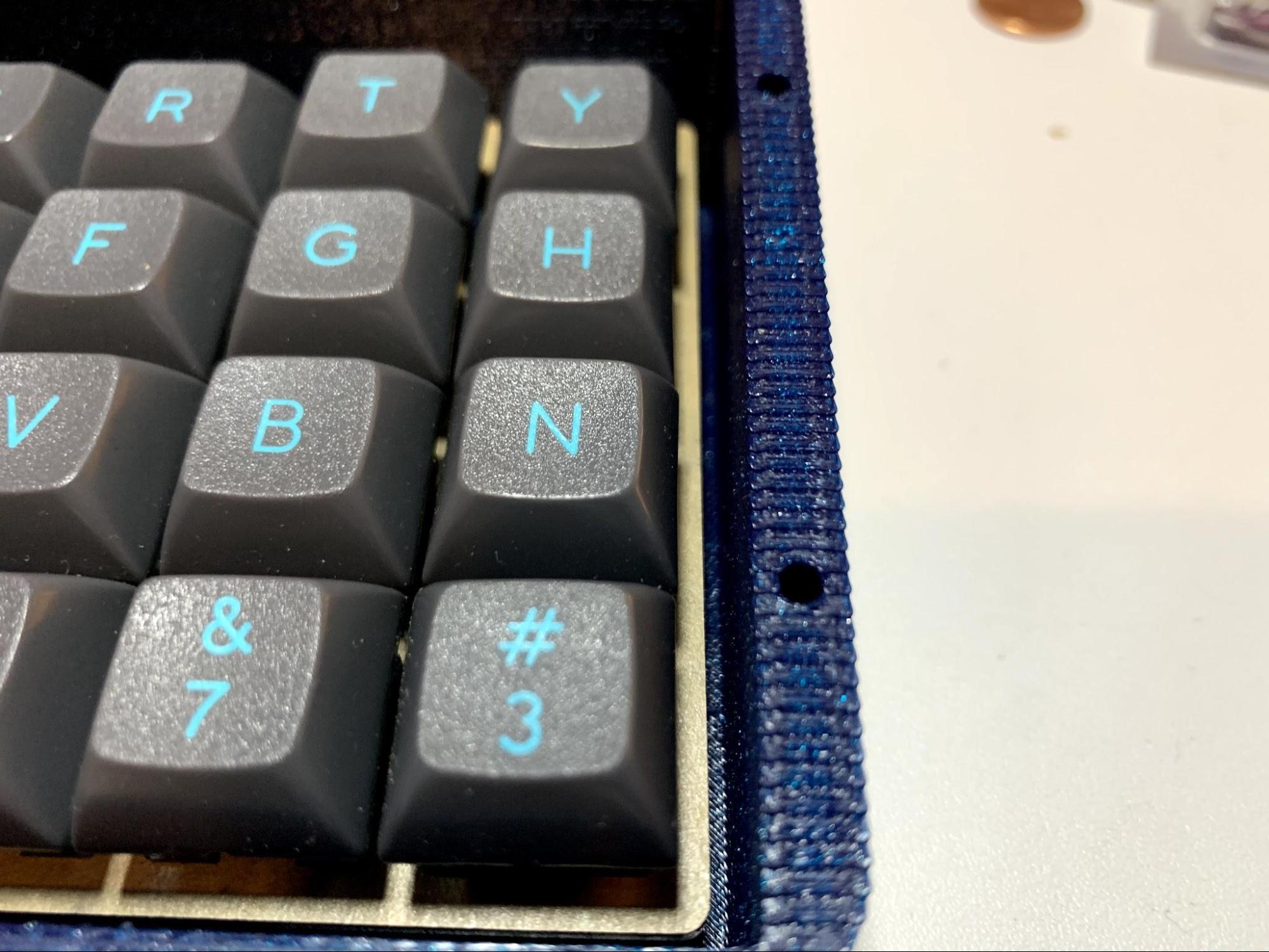
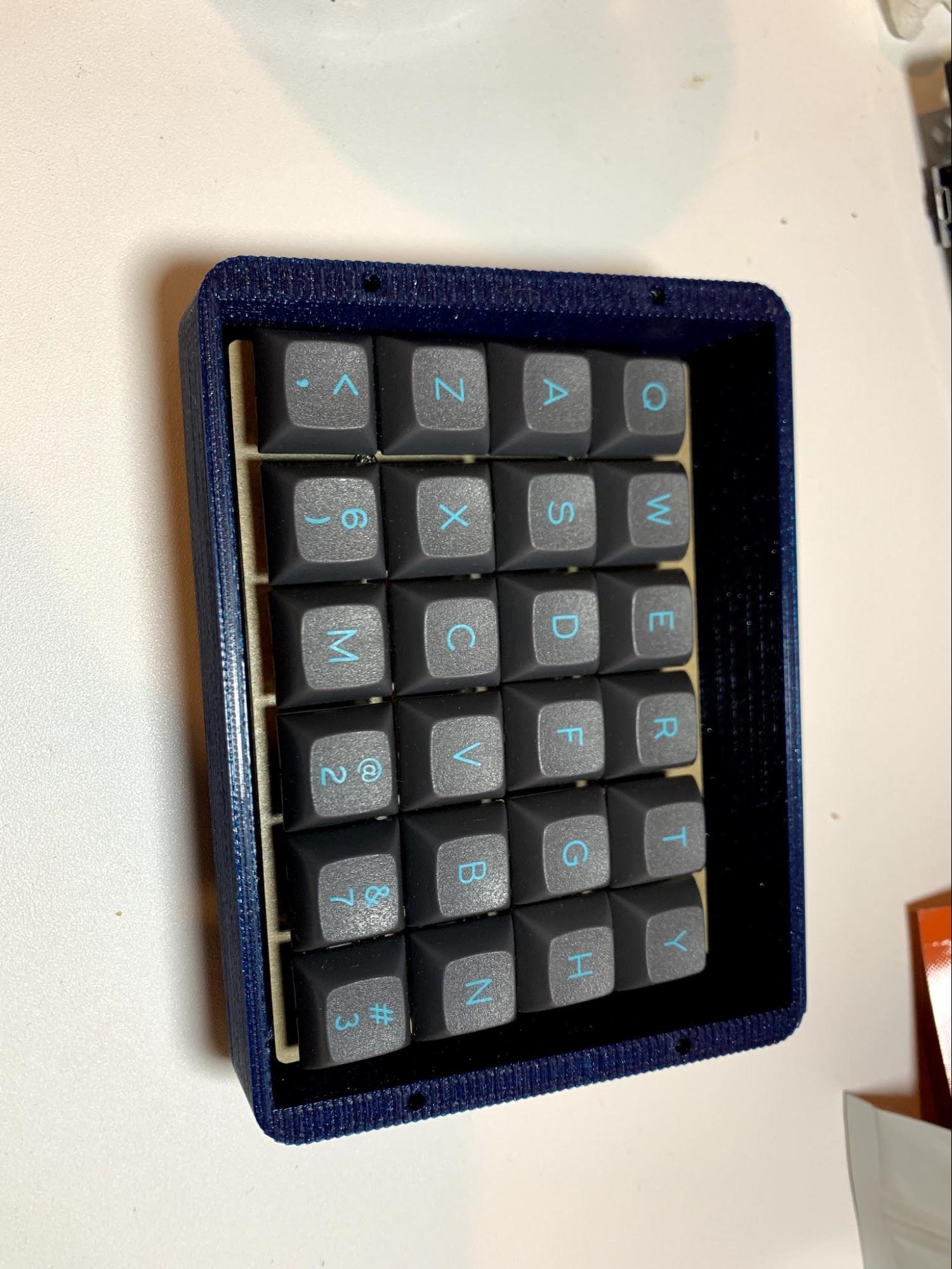
The construction went together, but not perfectly. Some of the measurements were off and there was excess space on the right and back side of the case. The case was also slightly too tall.
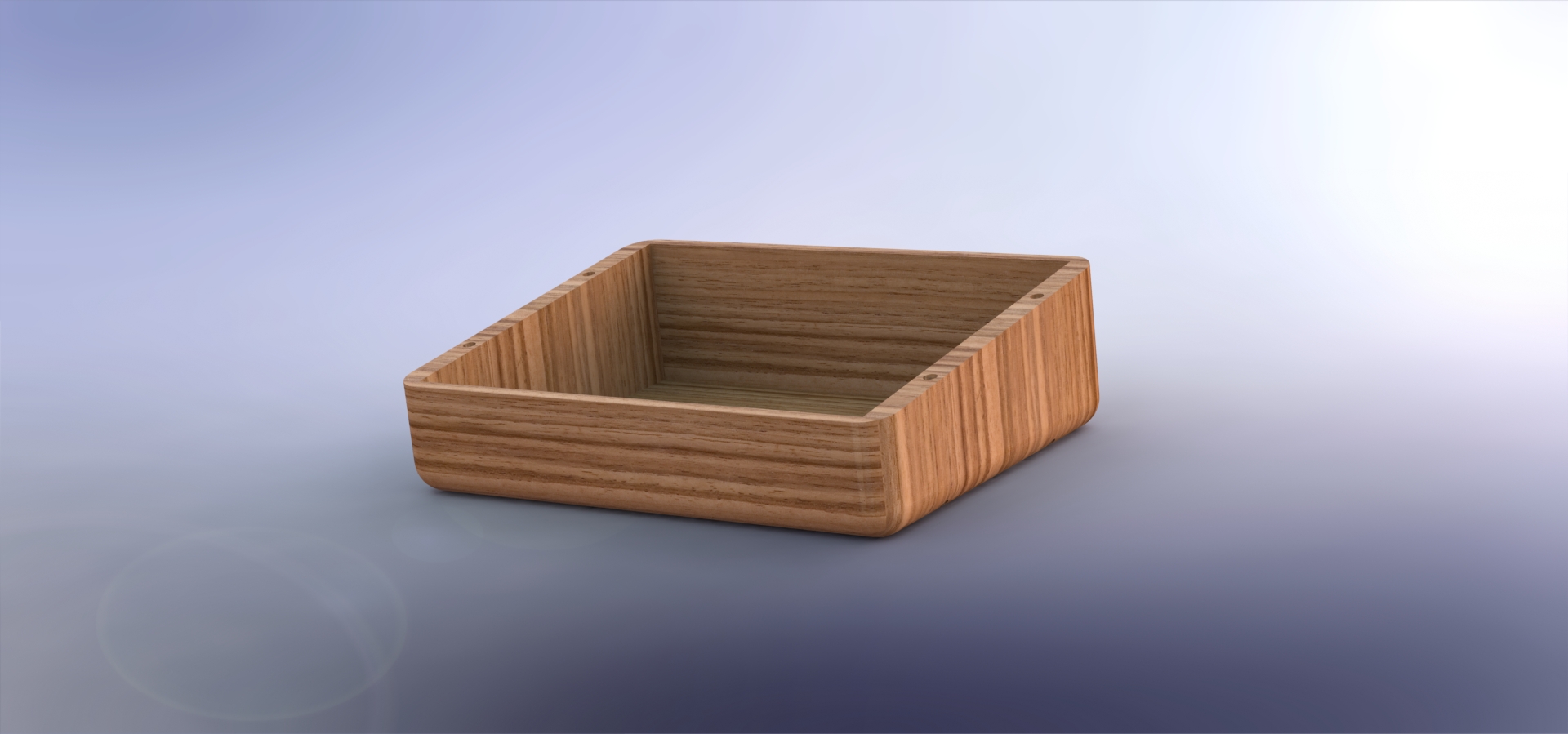
This design was essentially a tub, which the Let’s Split assembly fit into. However, it was a necessary step toward the right dimensions.
Design adjustments
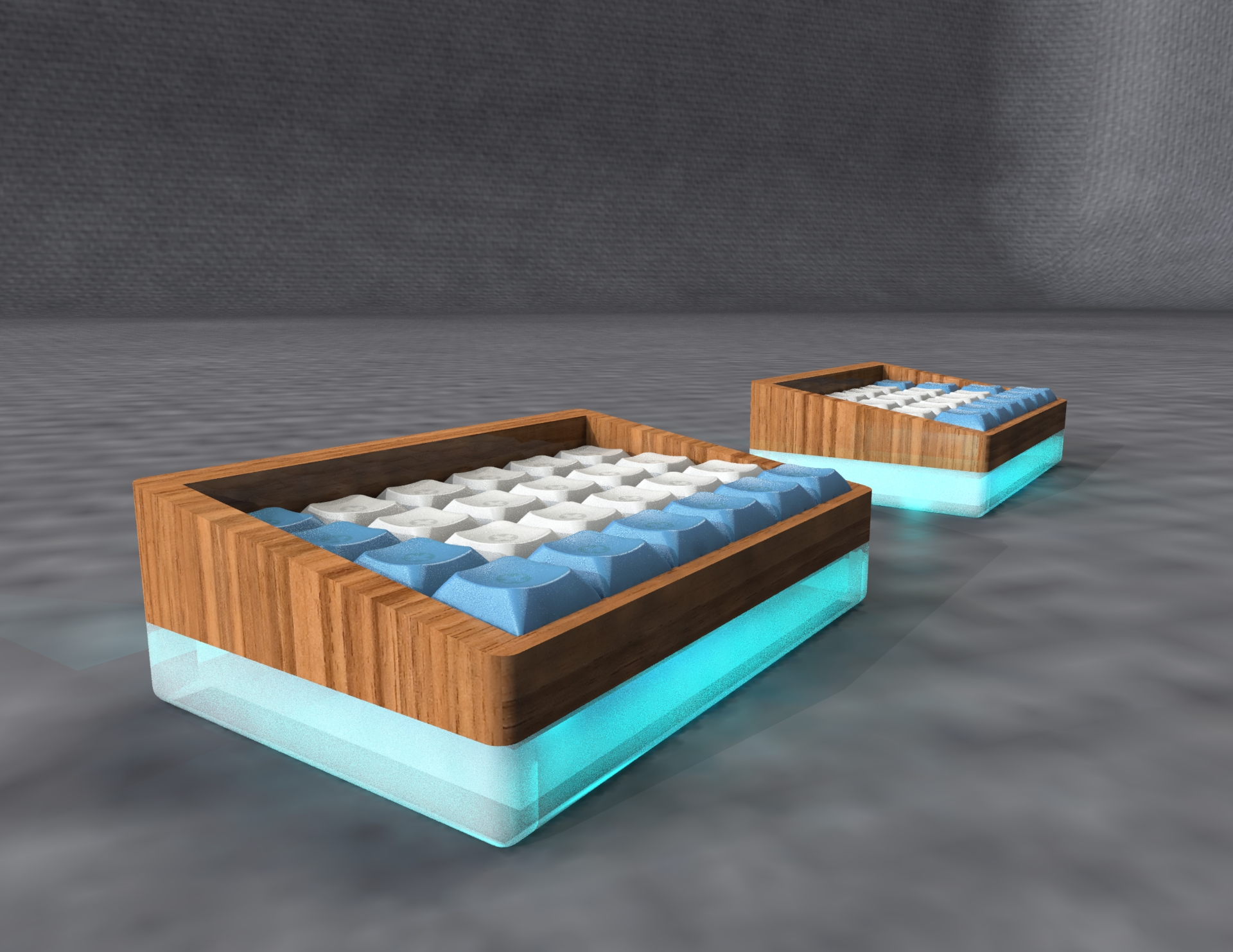
For the keyboard’s second design, the initial 14 piece construction was discarded and the plate consolidated the plate into the case. Building the plate into the case would create a more sturdy system and allow the bottom-out of keystrokes to land on a robust surface. The aesthetic was adjusted, making the bottom half out of translucent, foggy, clear acrylic. This would allow underglow on the case to create a beautiful and customizable experience.
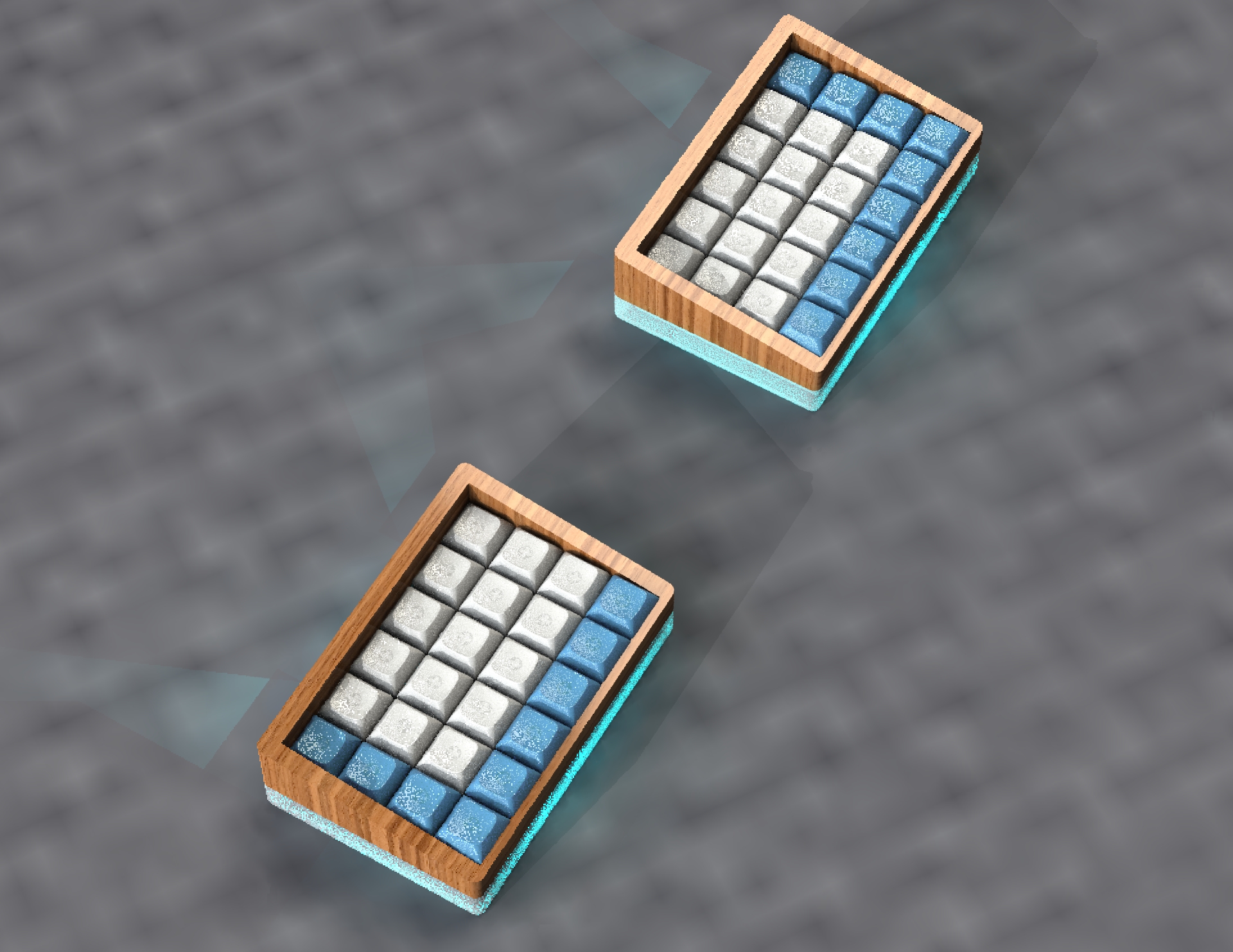
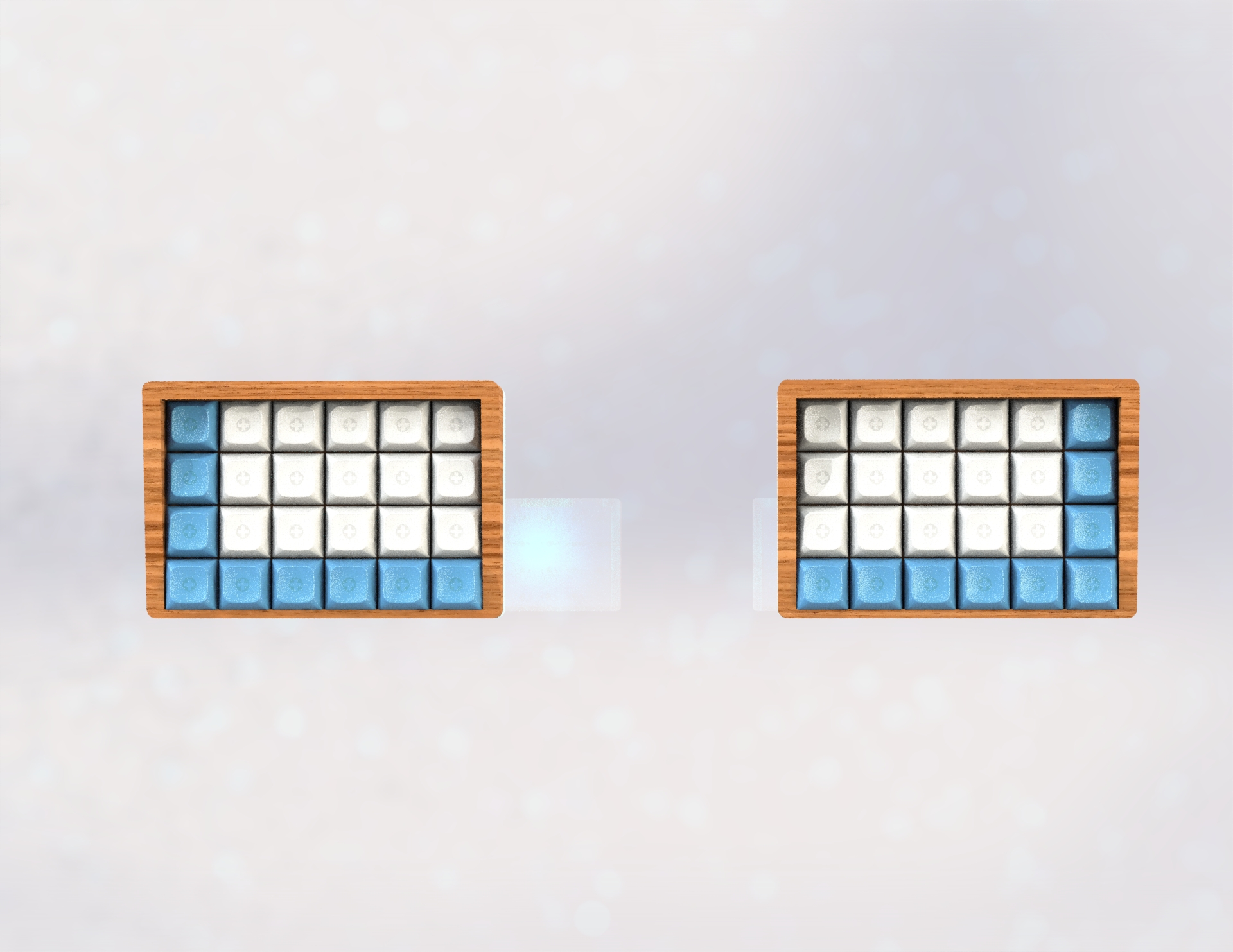
The acrylic base of the new design gives extra protection from scratches.
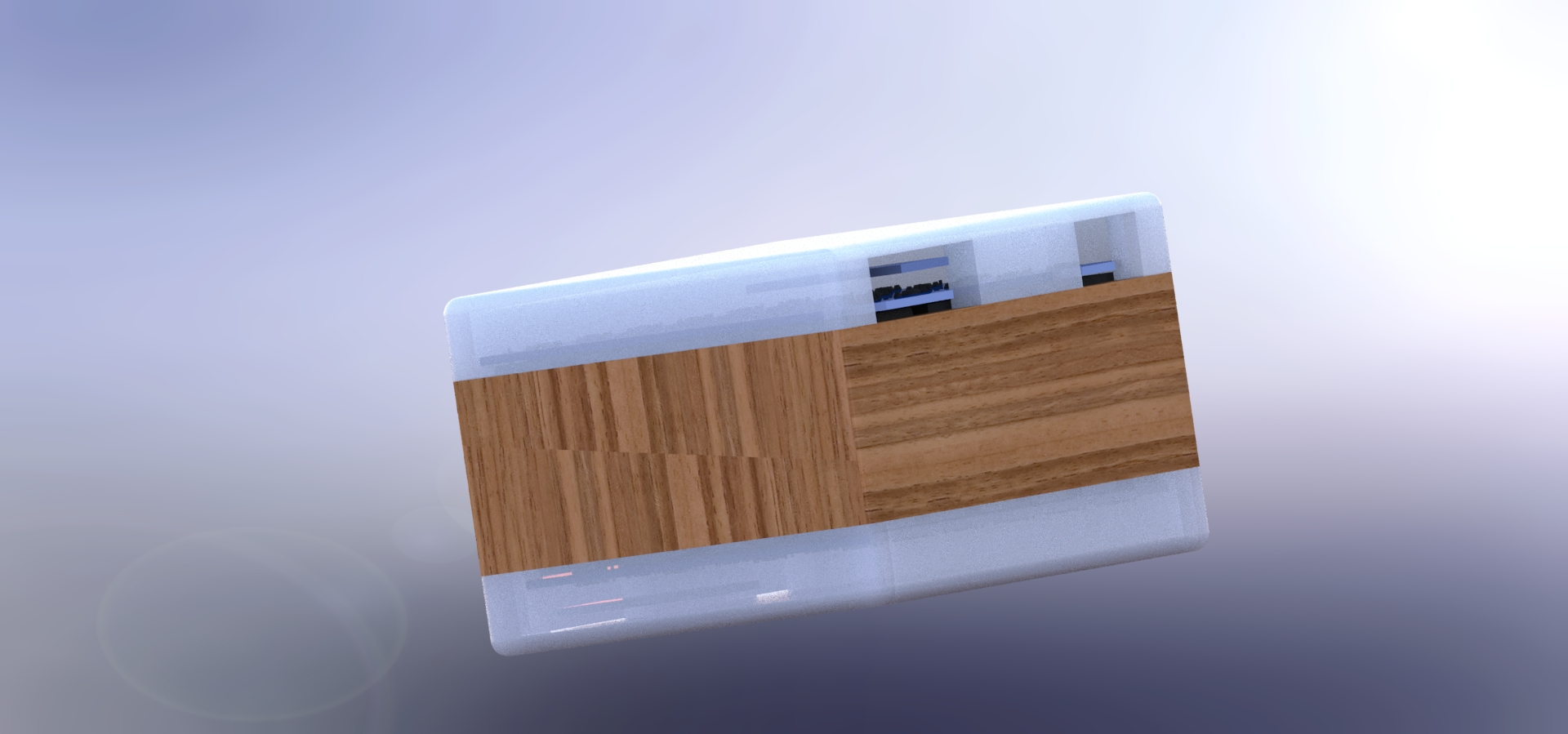
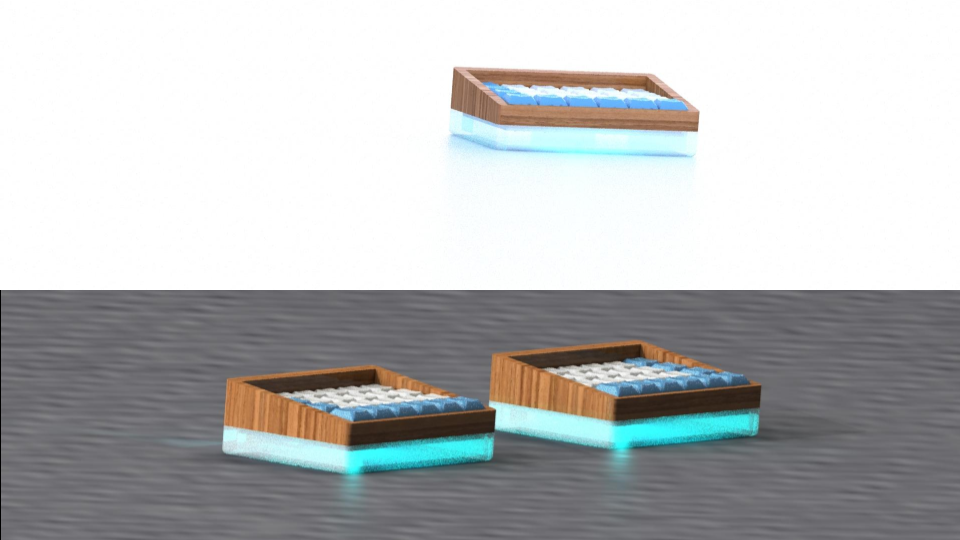
Rear port access
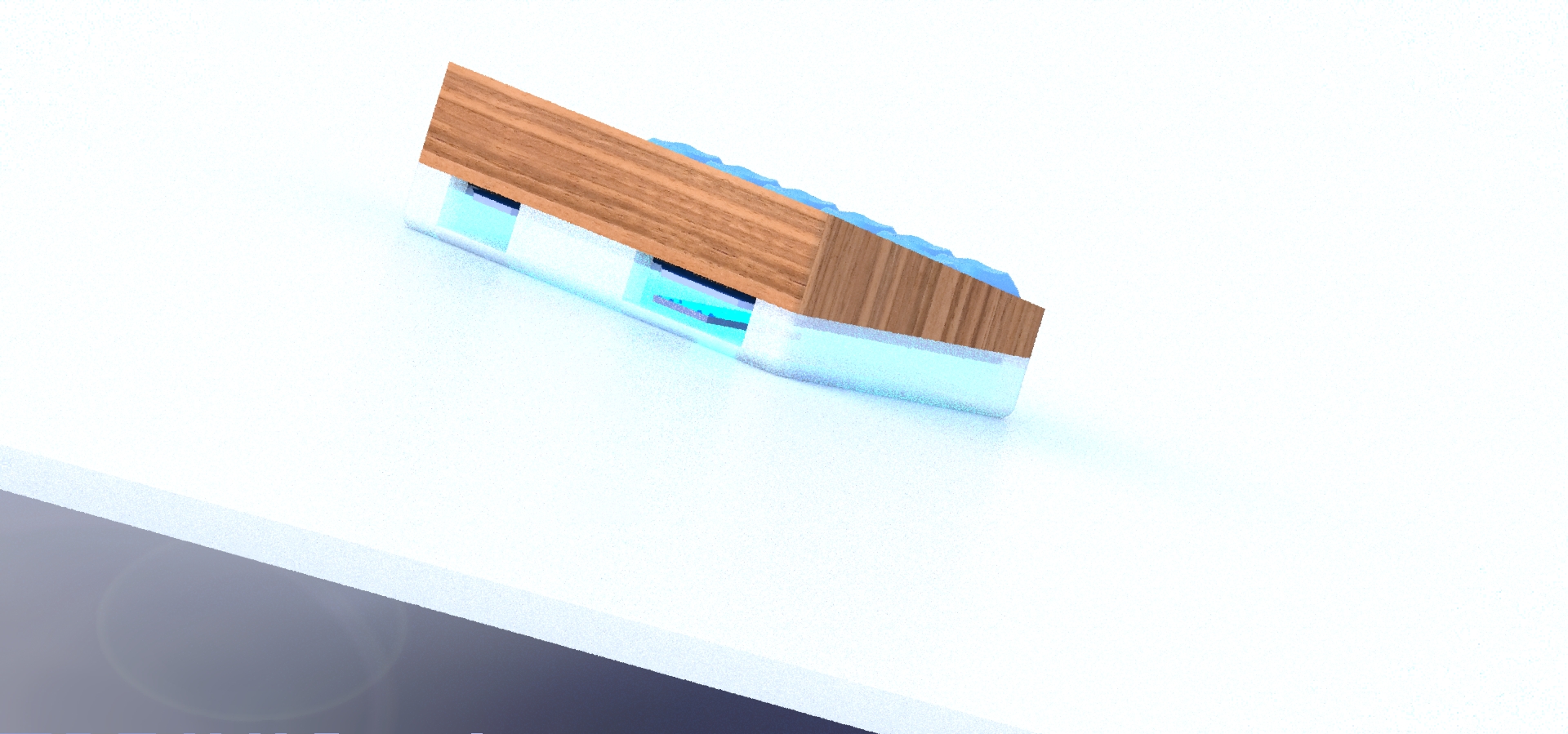
Assembly
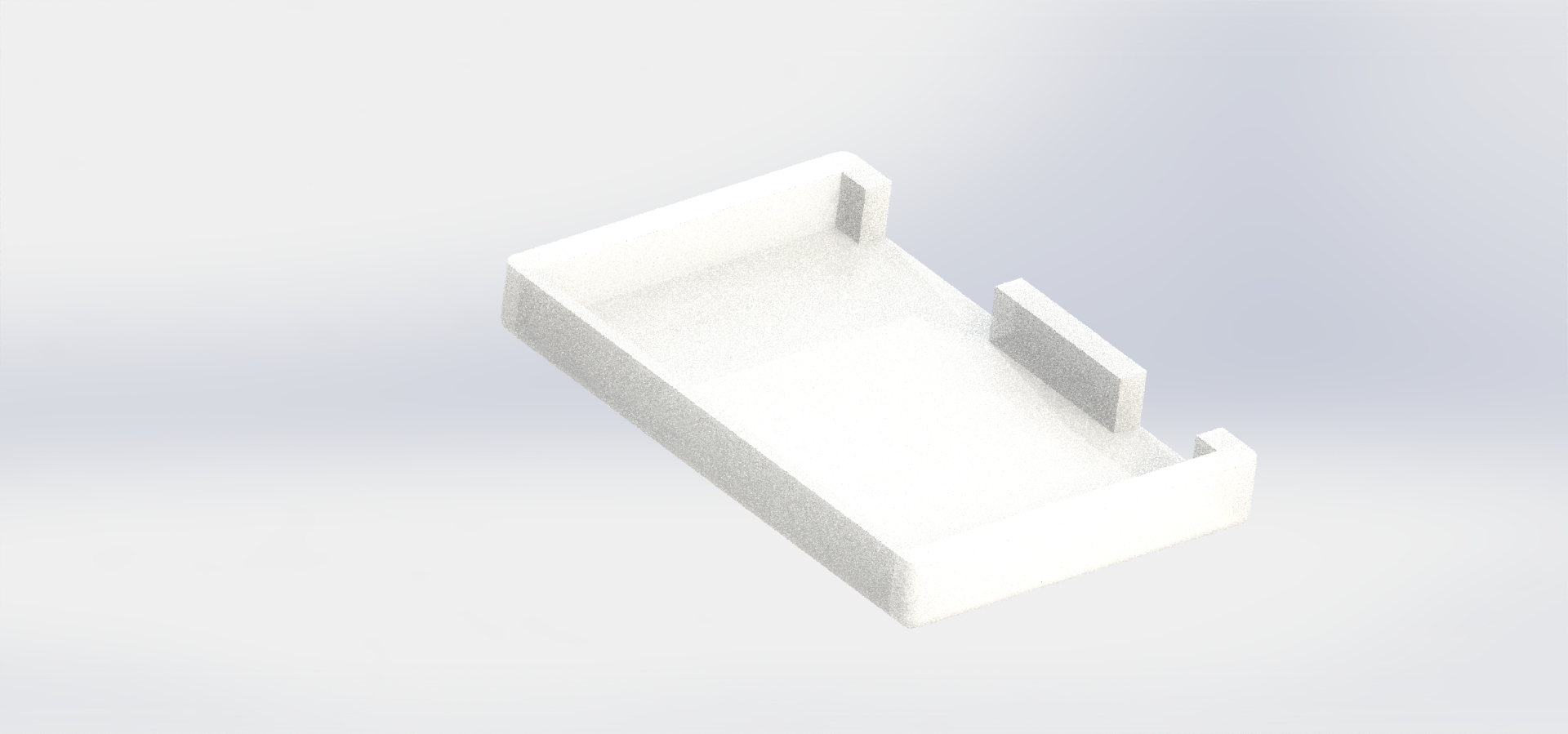
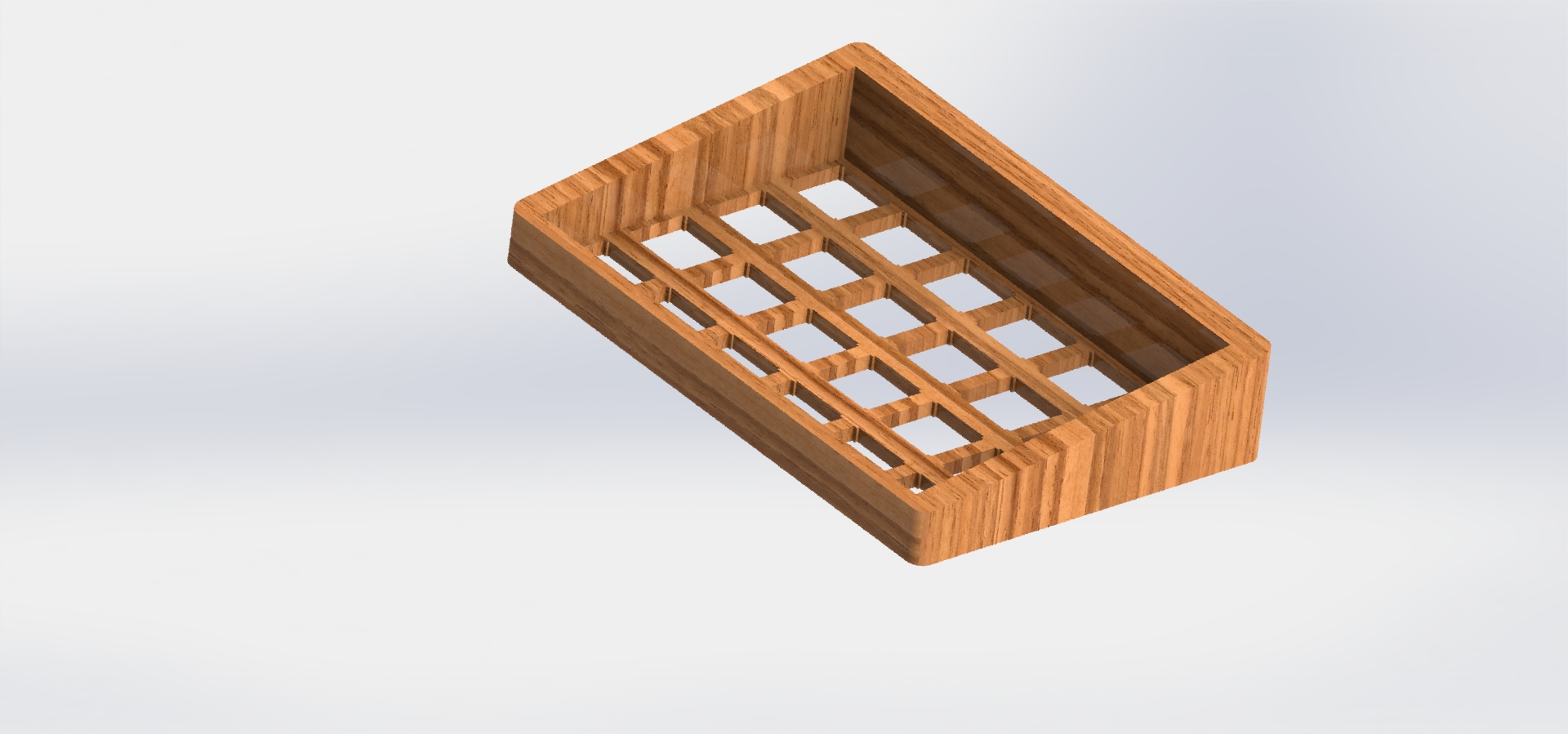
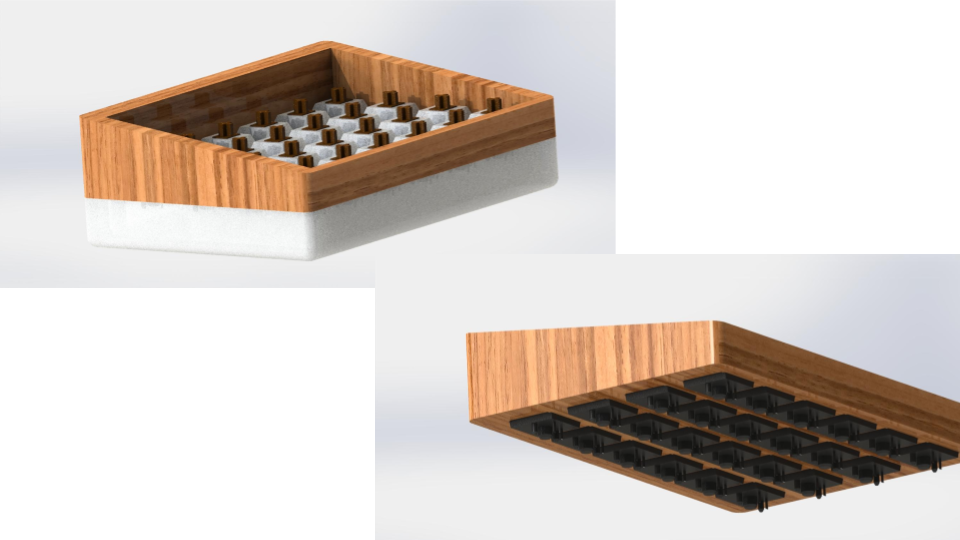
Switches mounted in the top half of the case.
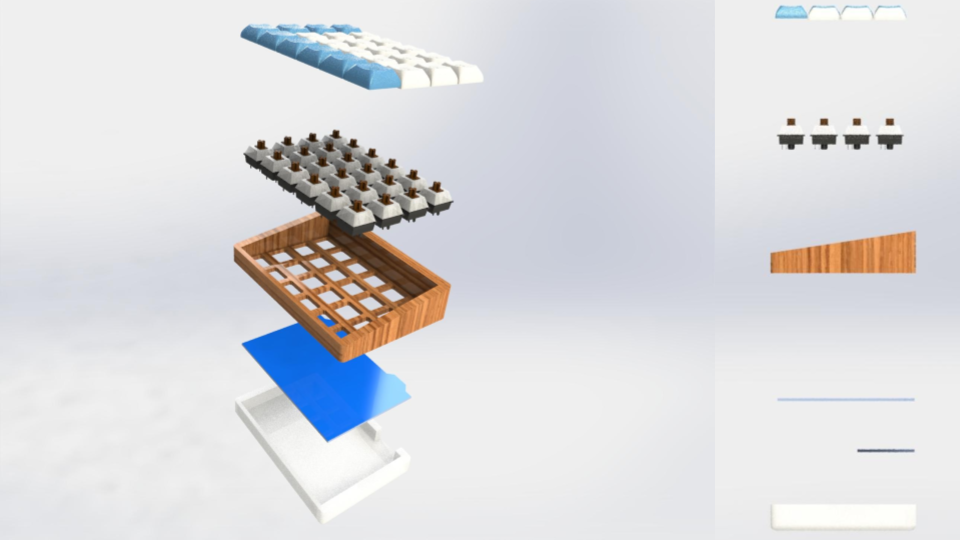
Reduced part list, from 14 parts to 8
Final Case Design
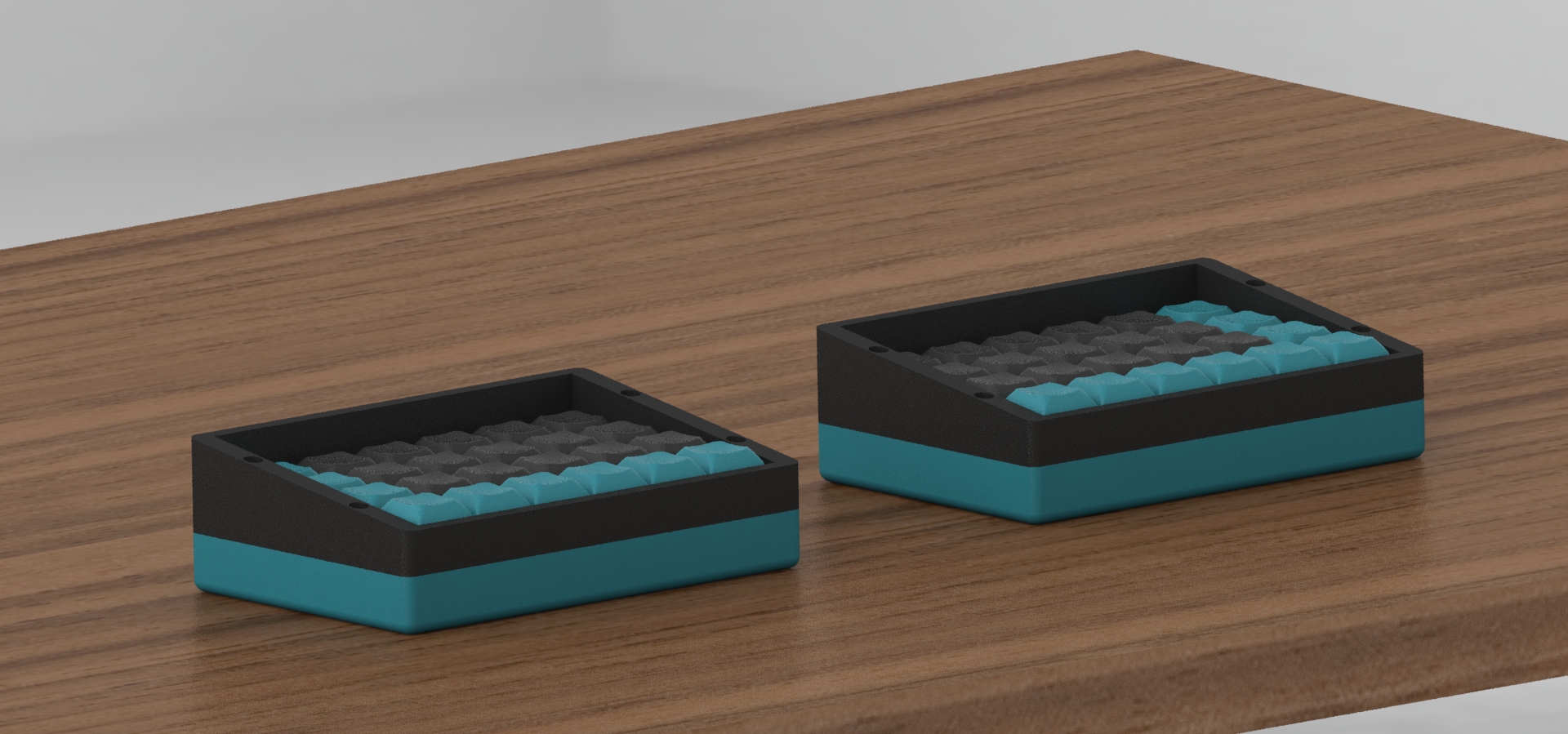
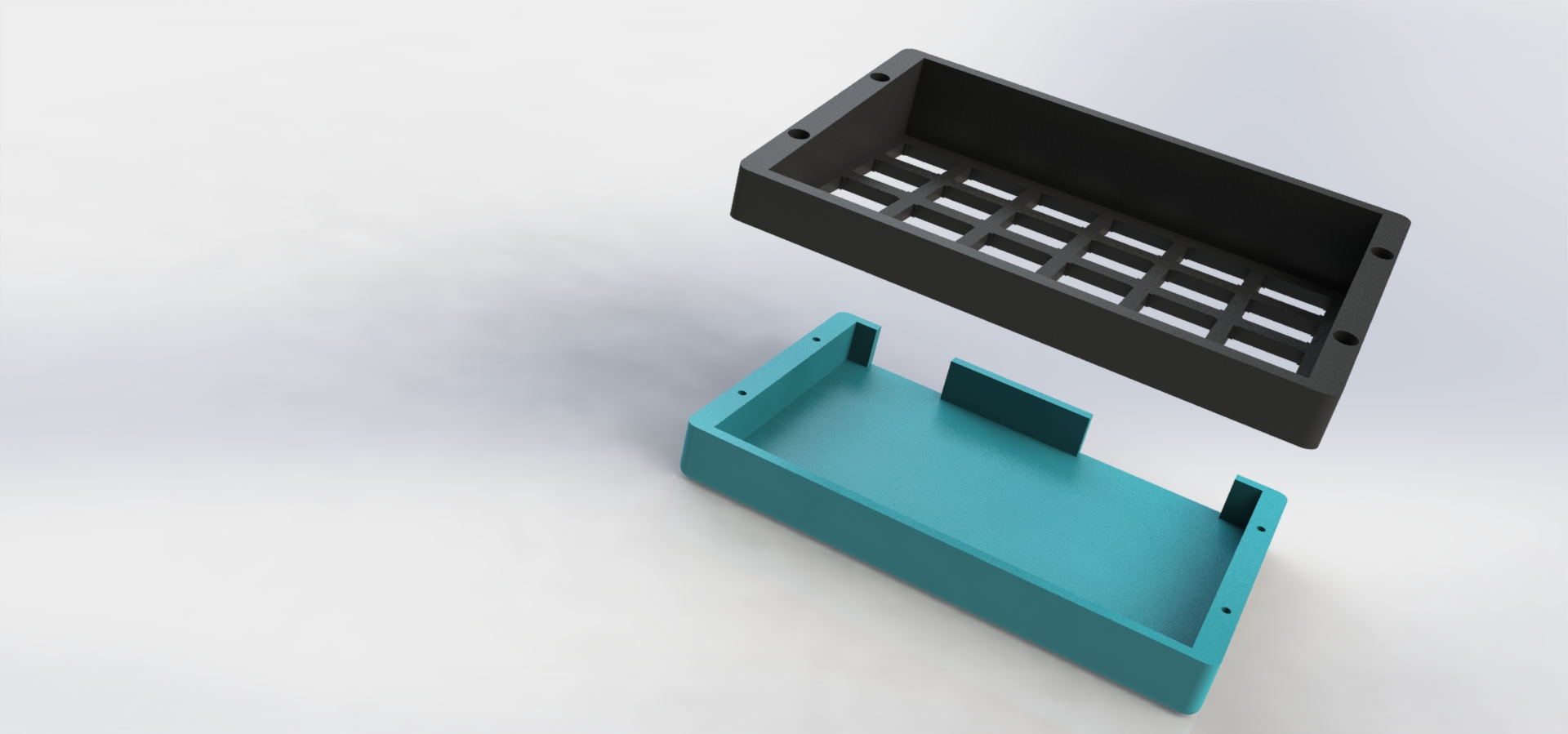
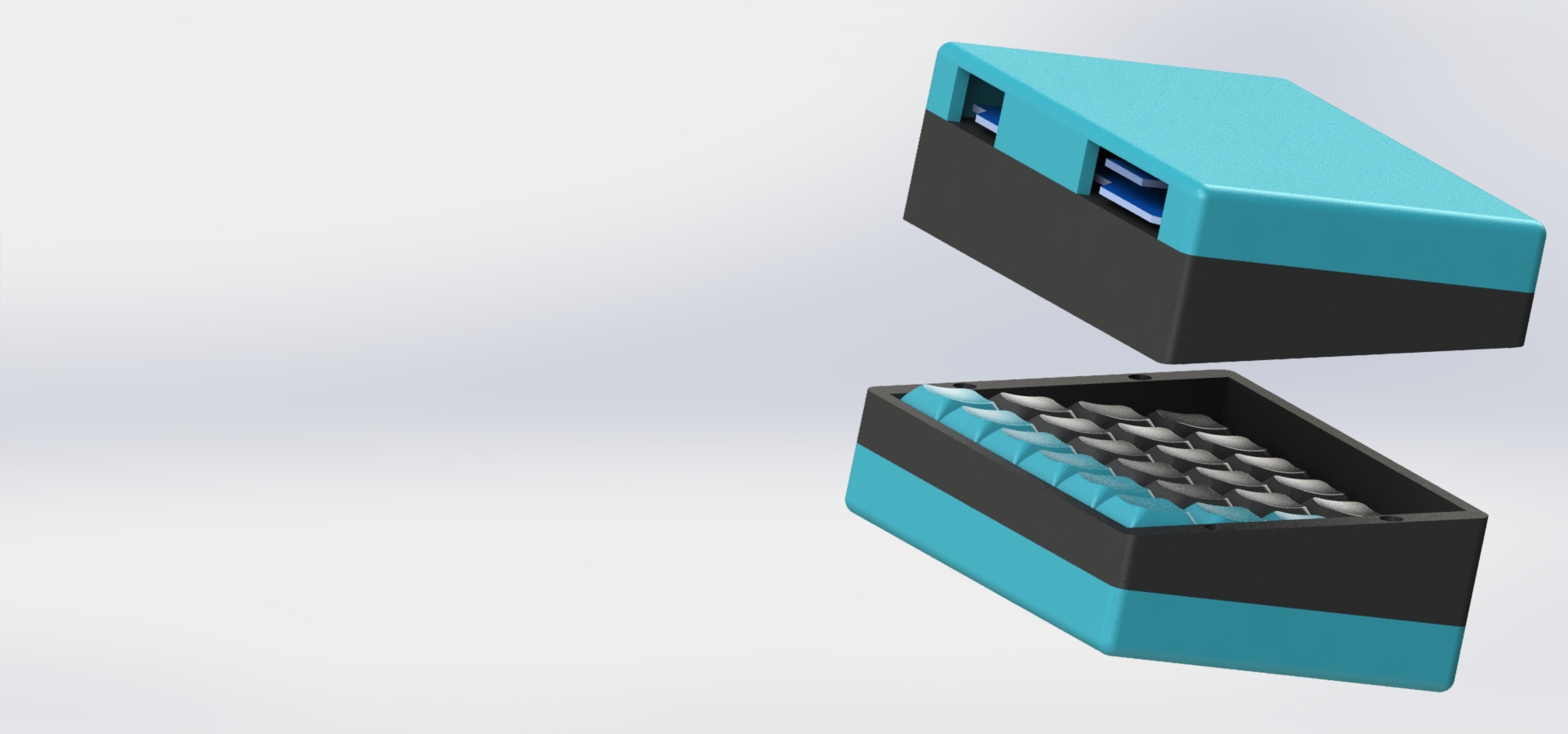
The second design of the case refined its architecture, and its final iteration was a refinement of dimensions, construction, and material choice. Unfortunately, the chosen materials from case V2 were not going to be feasible. This is because acrylic would require creating a mold and casting, which did not fit into the budget or timeline, and ultimately was not the focus of the project. Clear PLA and other 3D printing materials were explored, but none of them had the translucence desired. The internal LED light would be drowned out, and the surface finish of clear PLA is less than ideal. Walnut was removed as an option because it has too large of a grain size for the small tolerances of the case, and harder woods are too expensive and challenging to source. Ultimately, PLA was chosen because it is a rigid, inexpensive, and quick material to manufacture. PLA can be easily 3D printed and comes in plenty of color options which can easily be found online.
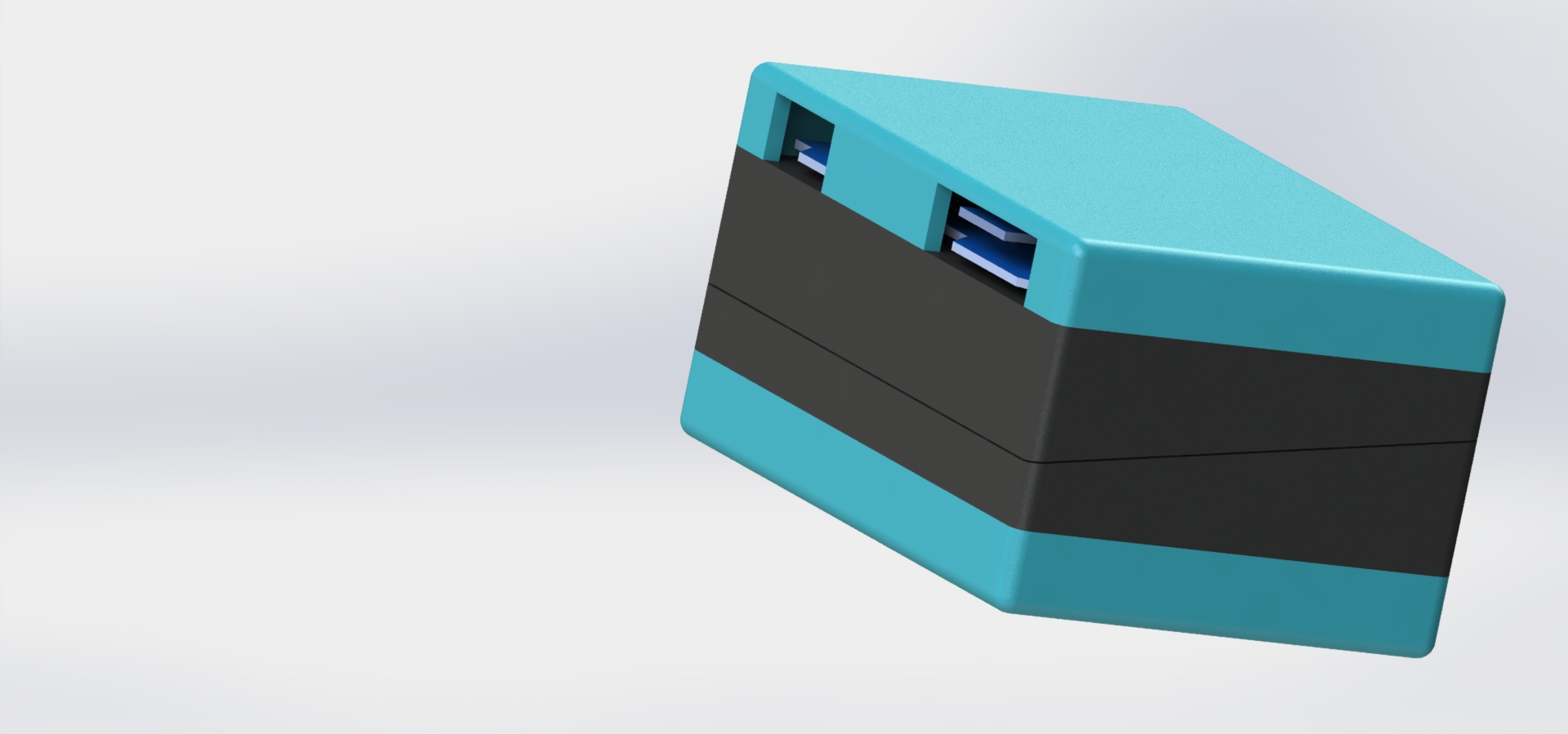
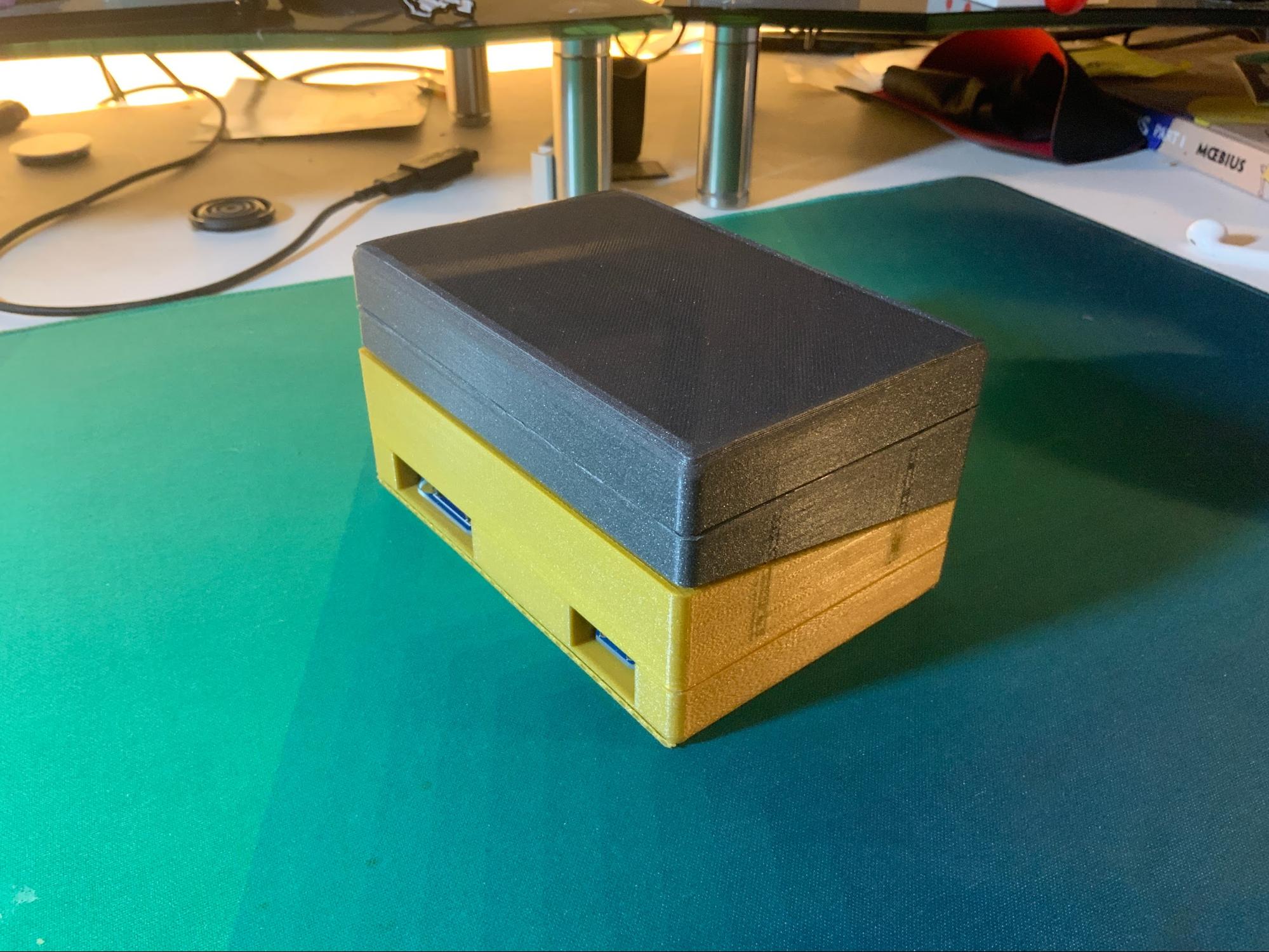
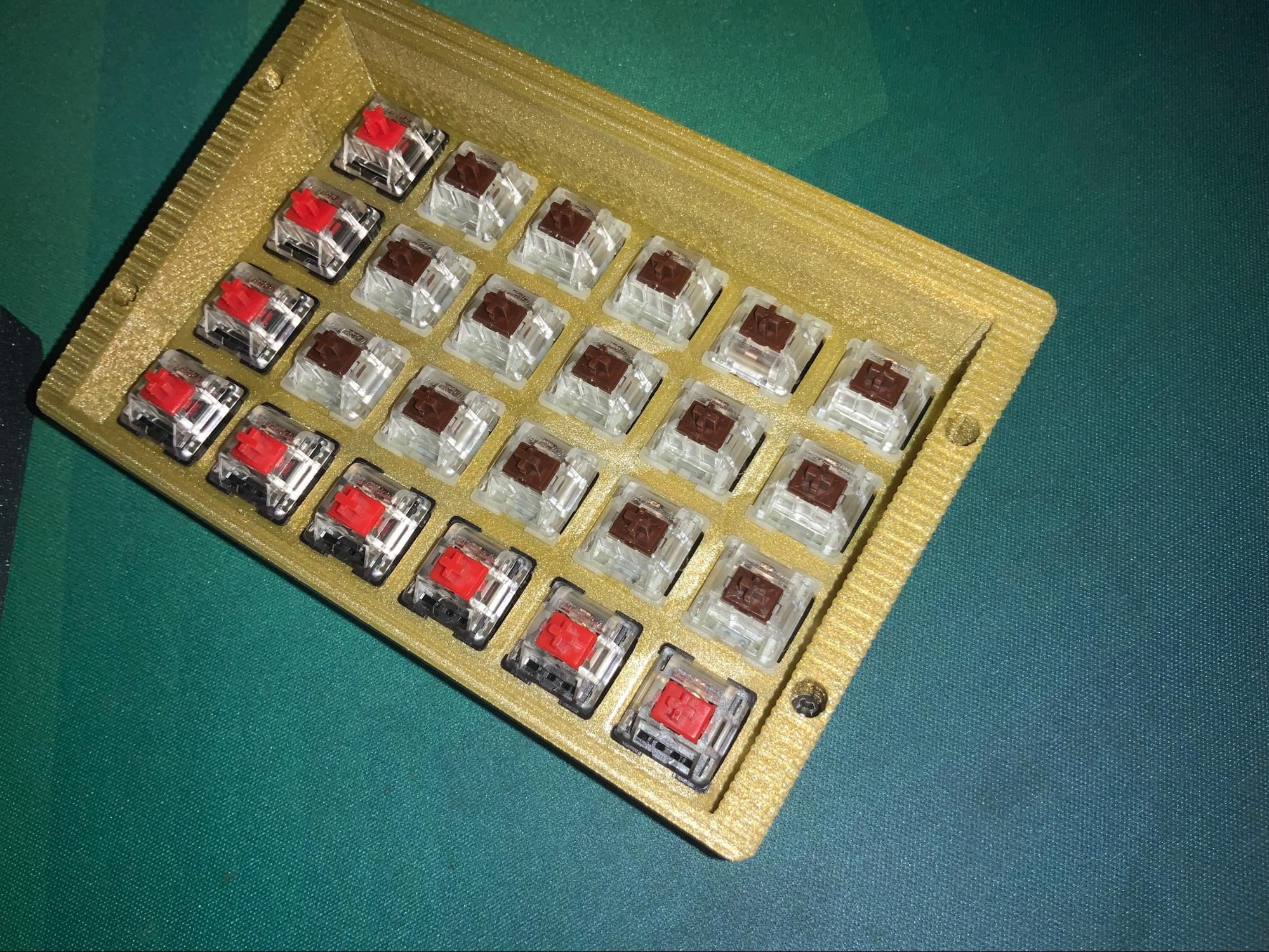
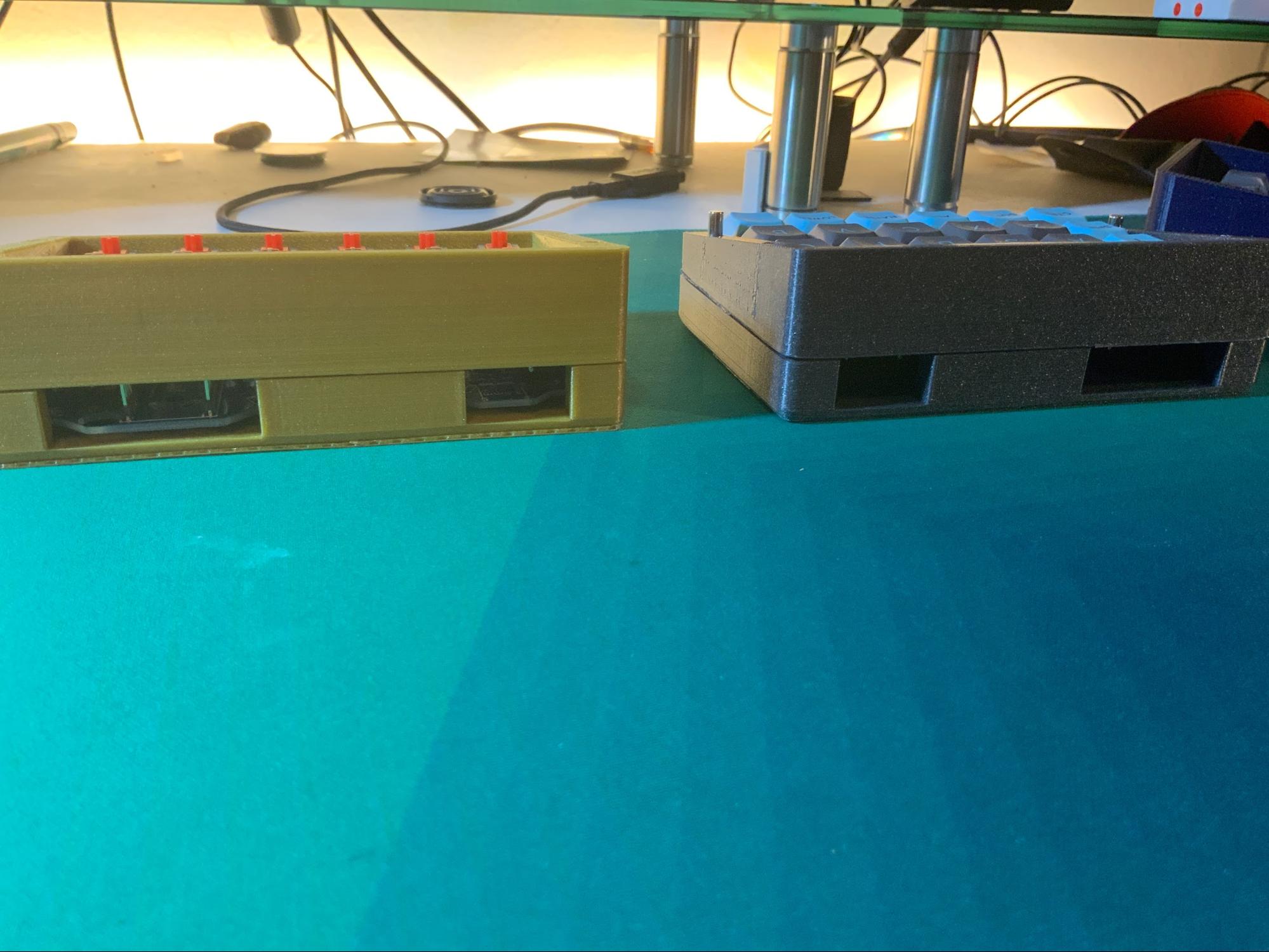
To bring the two halves of the case together, a system of rod-magnets is placed into the screw holes which hold each side of the case together. This creates a dual-function for the screw holes, and hides the screws altogether for an elegant finish (shown below).
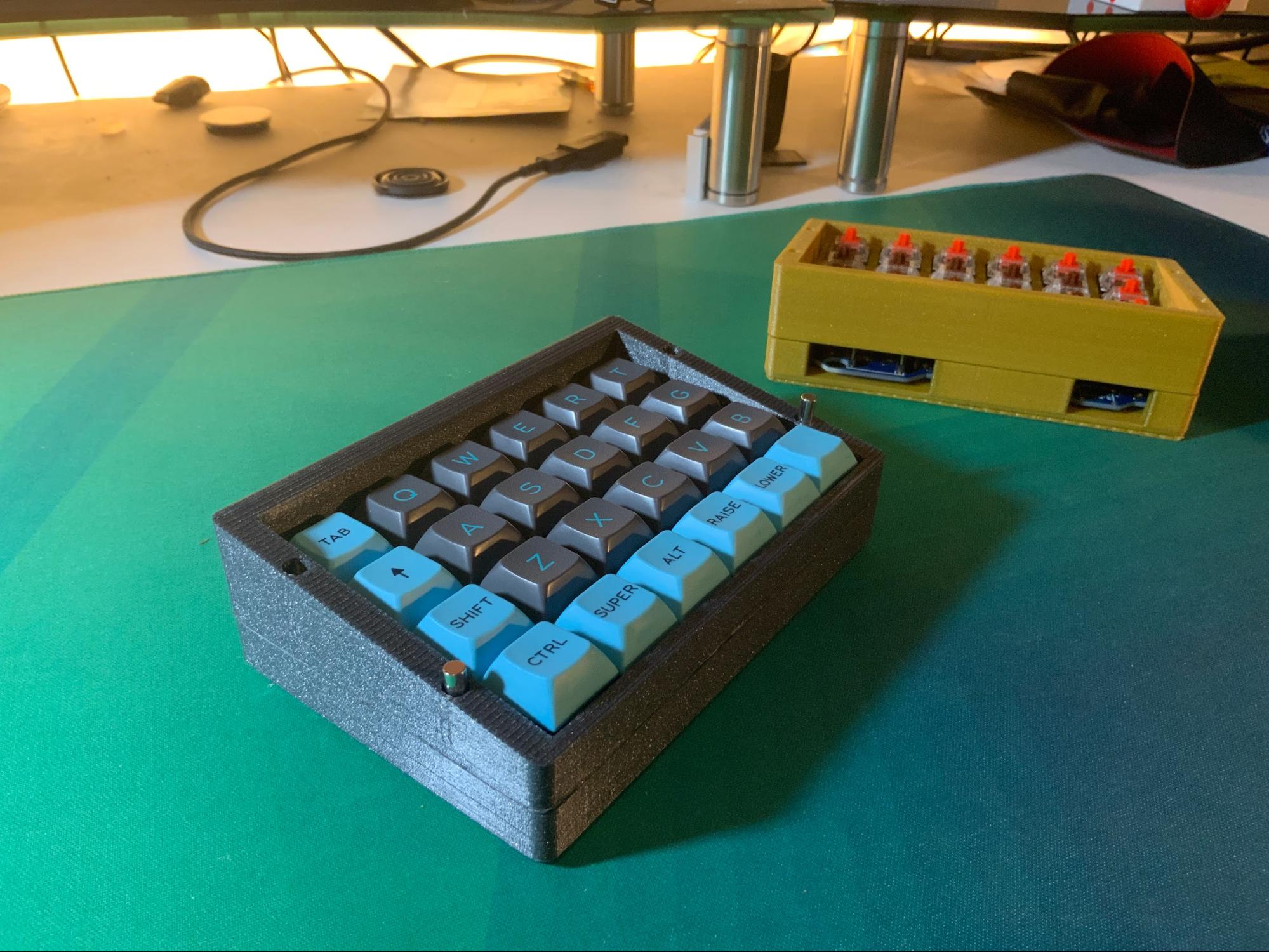
Usage
Perhaps the most important part of the design is its usage. The split mechanical keyboard can be configured to work with any desk setup, and beyond. For example, the boards could be mounted to the arms of a chair for an extreme-comfort setup. As discussed in the introduction, the Better Mechanical Keyboard improves multiple-device workstations, but the possibilities are endless.
Gaming Setup
Tablet Setup
Sound Dampening
The first Dampening idea used was extra large feet on the case.
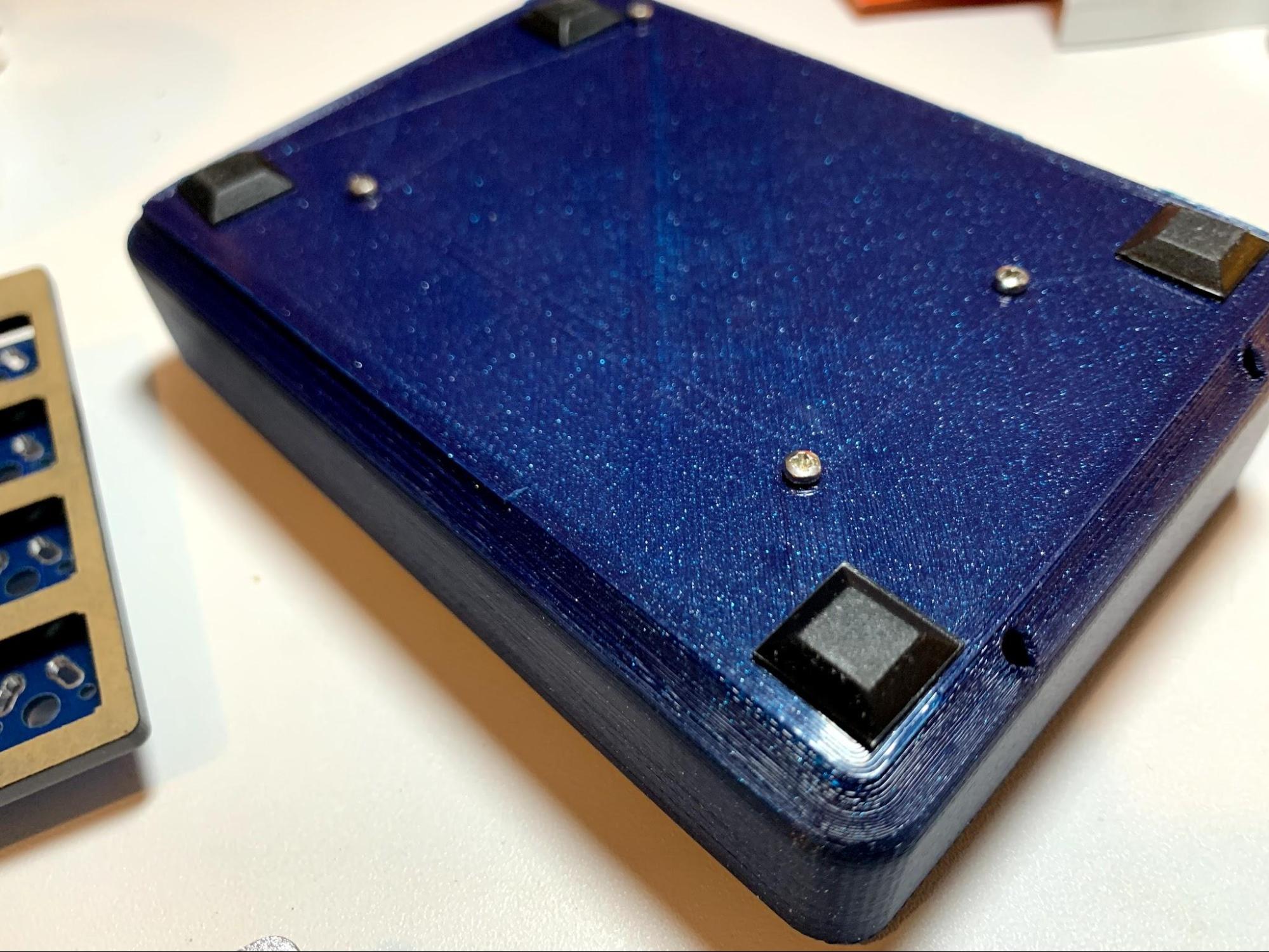
It made a significant impact on how well seated the keyboard would be on the table and therefore dissipated the sound well.
With the second design, there is an opportunity to place a rubber gasket between the two layer construction, dampening the keystrokes even more.
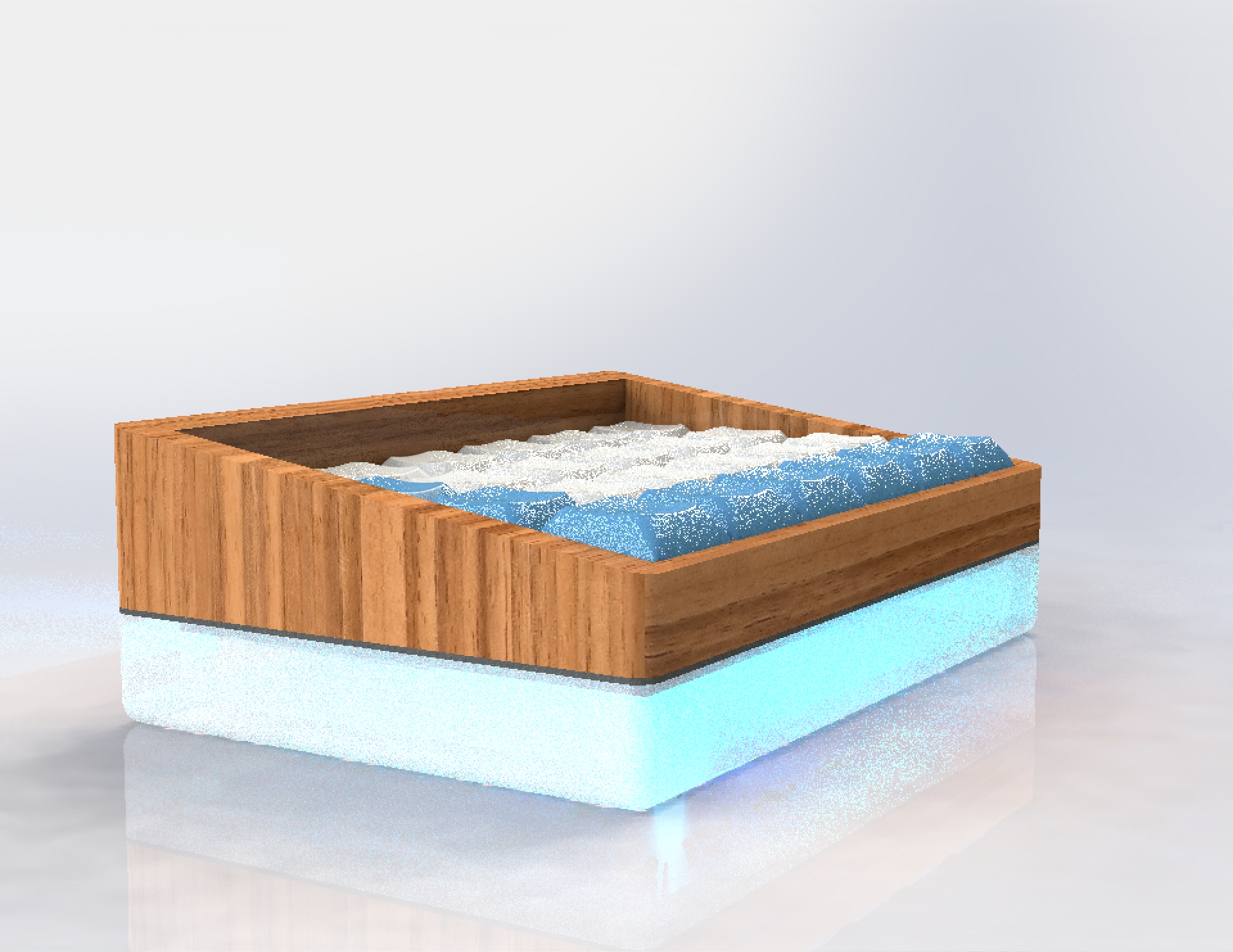
Ultimately, this dampening solution did not make it into the renders of the final design, but is still a possibility. All that needs to be done is a laser cut of some dampening material like rubber or neoprene. The same material can be used to create a single foot on the bottom of the case.
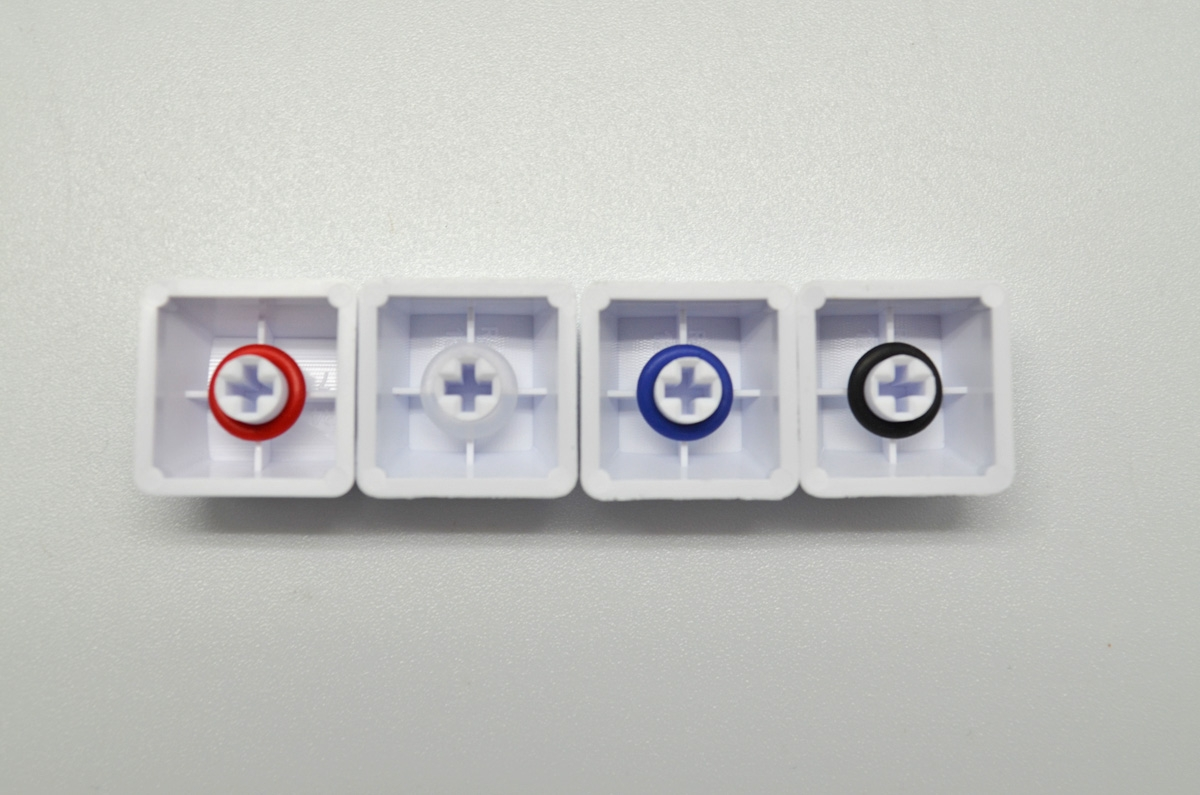
O-rings were explored as a dampening option as well. O-rings are mounted on the underside of the keycap, and dampen the bottom-out of each keystroke. O-rings were not chosen because they reduce key travel and create a less convincing keystroke.
Keycap Shape and Material Considerations
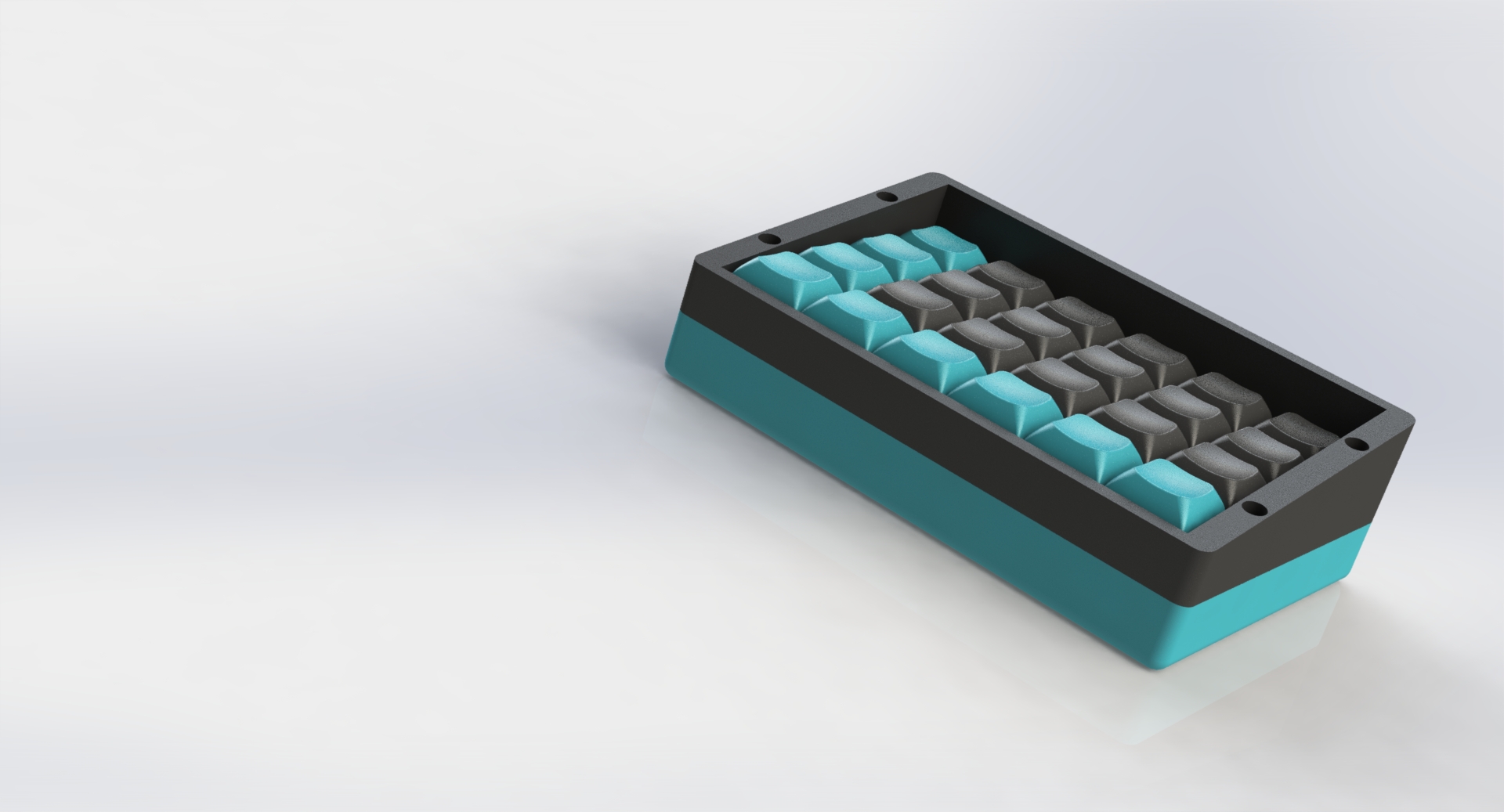
Within the space of mechanical keyboard design, there are many options for each element. Things become very nuanced when it comes to keycap design. Plastics, ergonomic shapes, and manufacturing processes all make a huge difference when it comes to keycap design.
The shape of a keycap set largely determines the end-user’s experience with the board. Some keycap styles favor accuracy over speed, some favor low cost manufacturing by using a consistent shape with each key, and some are idealized for fast travel time between keys. Some of the shapes are shown in the image below. The difference between SA, which is based on the original shapes of the IBM model M keyboard, and DSA, which is a modern “non-sculpted” shape, is drastic.
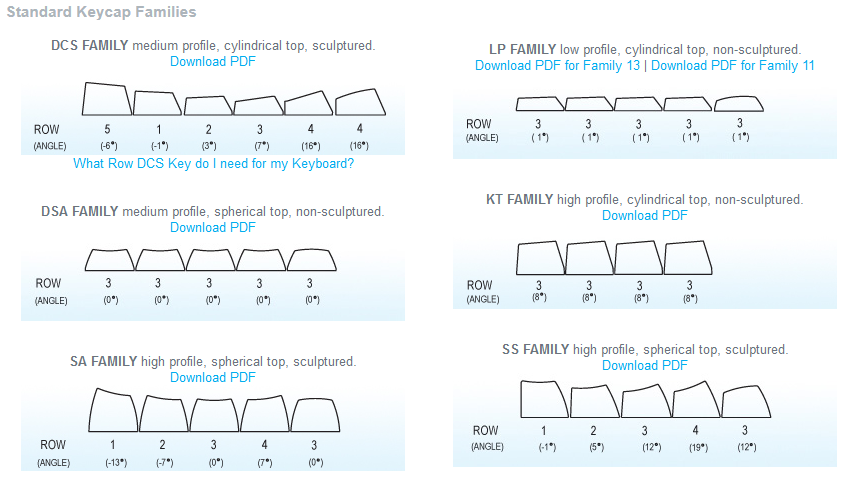
With a more sculpted shape, the user is able to determine which row their fingers lay on based on tactile feel alone. A keyboard using DSA gives less of a tactile feel for the user, but can reduce finger strain and for more experienced typists reduce travel time between keys. This is known as “gliding” over the keycaps. DSA and SA are some of the most popular keycap profiles, but are over-specialized to the point where they have drawbacks. The SA profile is bulky and can create finger soreness, and DSA has small pads on top, making it more challenging to make accurate keystrokes. Of course, there is the traditional style that most people are used to, which is known as DCS, OEM, or Cherry. There is also a newer keycap style called XDA which has a larger top surface than DSA without becoming much bigger.
Ultimately, DSA was chosen as the ideal keycap for a few reasons. Firstly, the DSA keycap is readily available in multiple PBT styles in the time frame allotted for this project. Secondly, the DSA profile makes use on an ortholinear and splitboard much more fluent, as well as customizable. There are some restrictions that could be brought by SA and DCS with their height and sculpting.
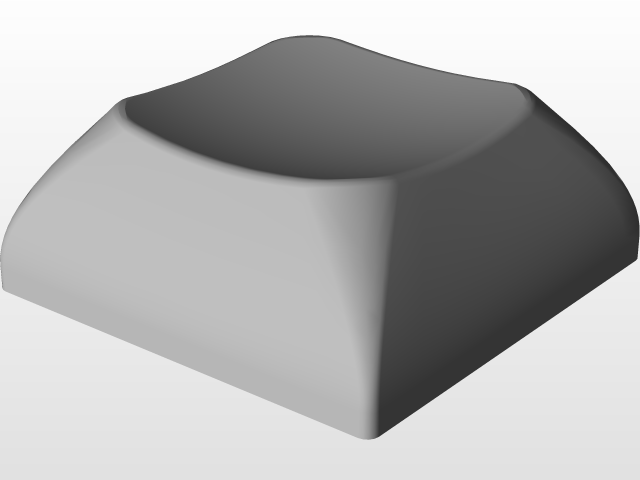
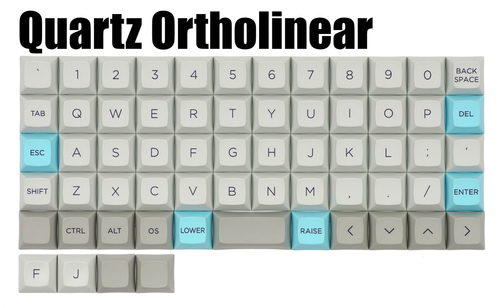
As far as material, PBT, a type of hard plastic, was chosen over ABS. PBT is more expensive, but is much harder than ABS and keeps its texture longer. The slippery feeling on a well used keyboard is due to ABS construction being worn down by fingertips. With a PBT cap, this is takes years longer. PBT is also more dense, meaning that its bottom-out sound is at a lower octave than ABS. This makes it easier to dampen and less “noisy” when used in public.
Connectivity
Cable strength and assembly
Side-to-side interface
Ideally Bluetooth
Switch Style and Manufacturer
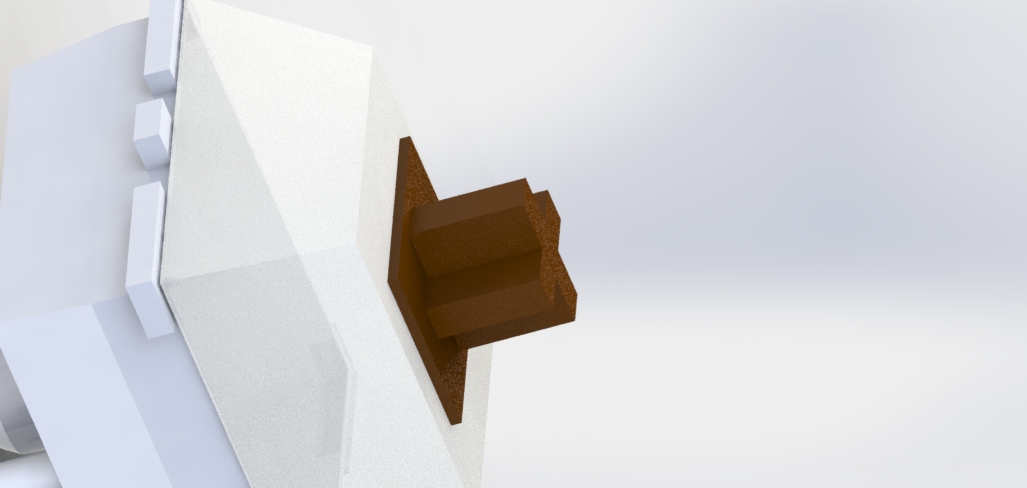
Modern mechanical switches are made by a few manufacturers who all deliver a similar lineup of switch styles using characteristics “clicky,” “tactile,” and “linear”. The primary manufacturer of mechanical switches is Cherry, the original inventor of the modern mechanical switch. In the last few years, a few other manufacturers have begun copying Cherry’s design, iterating and improving features along the way. The most popular switch styles produced on the market are Red, Blue, and Brown switches.
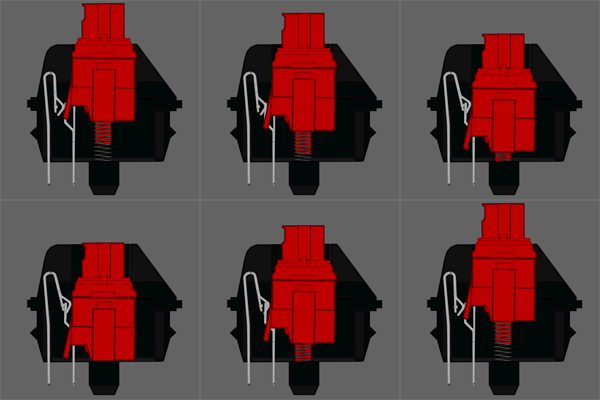
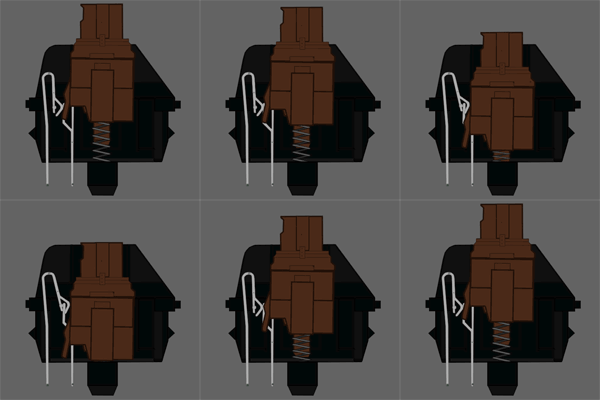
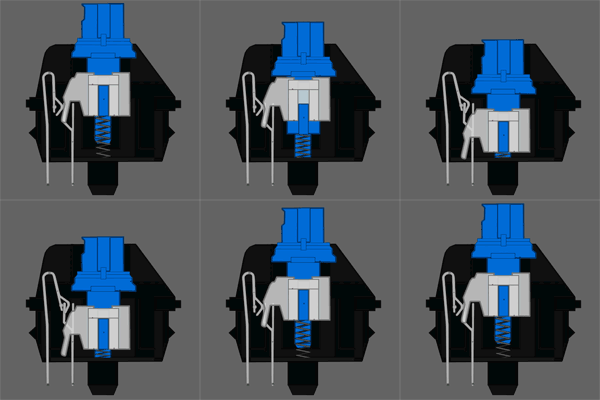
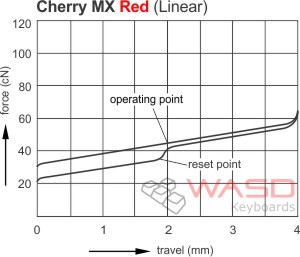
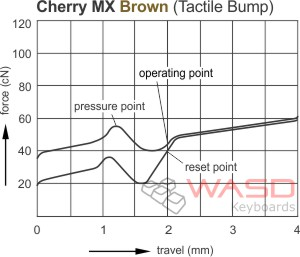
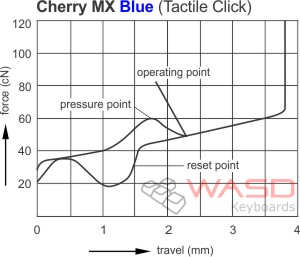
A Cherry MX Red switch is a linear style switch, meaning that the downward action follows a linear path, actuating at 2mm. In contrast to this, a Cherry MX Brown switch is a tactile style, meaning that there is a bump at the actuation point, giving the user a confirmation that the key press has been registered. The Cherry MX Blue has a tactile bump, but also an auditory “clack” that gives the user a second confirmation of the key’s actuation. The advantage of the red switch is that it has a low force required for actuation, and a predictable reset. As shown in the graphs below the brown and blue switches, the reset points for tactile and linear switches are different, and change the latency of the switch.
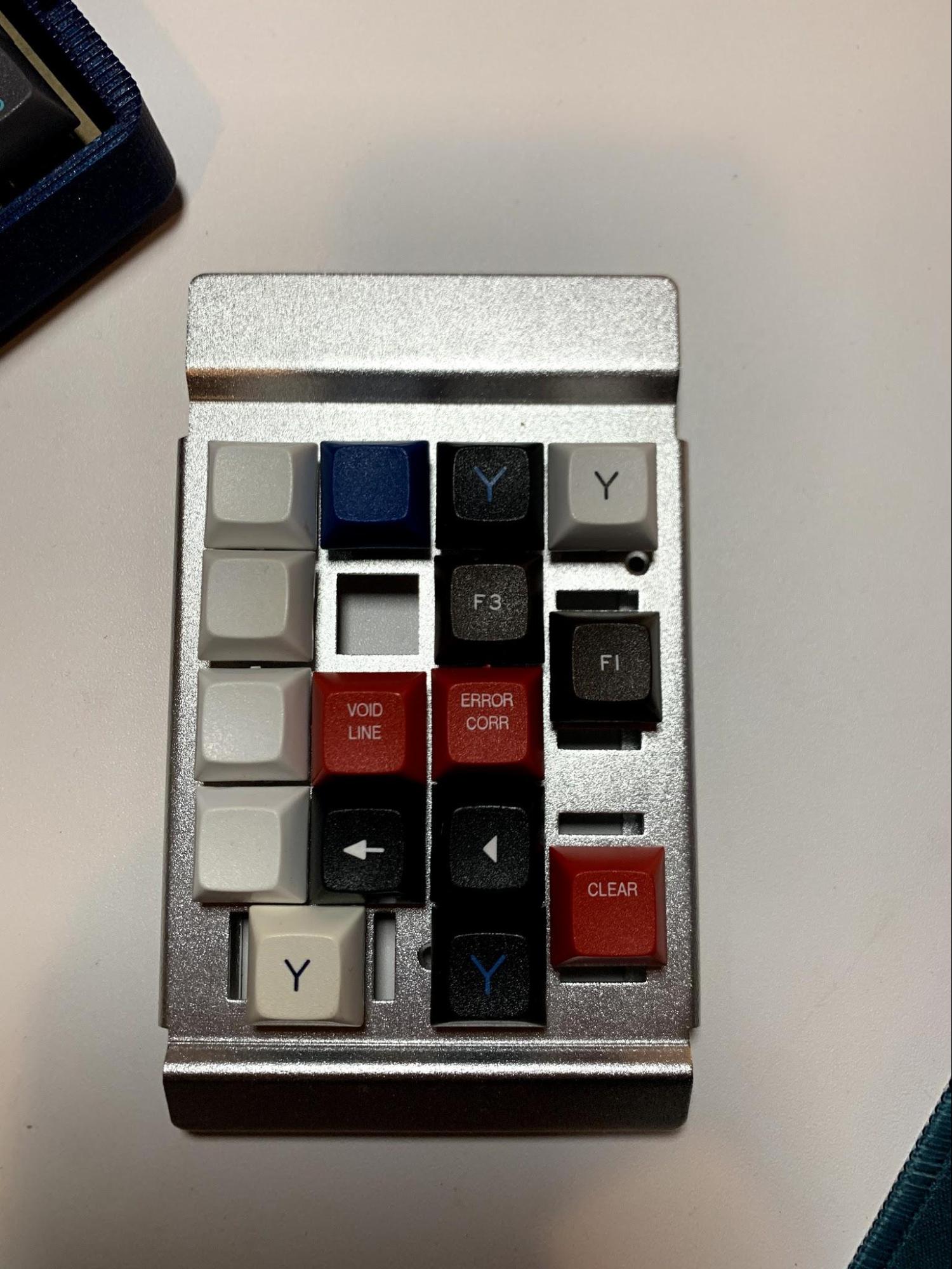
To find the ideal switch, a switch tester was acquired (pictured).
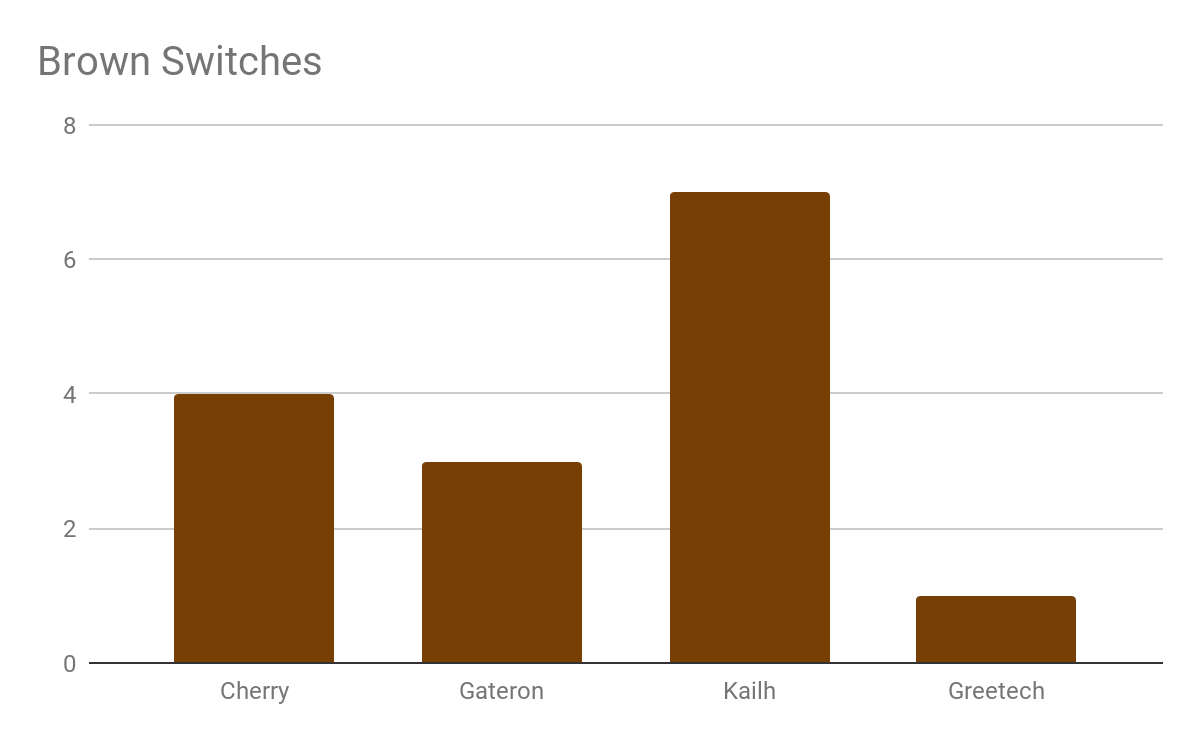
Under each keycap is a different type of switch and manufacturer arranged in an array. There are four of each type of switch: brown, blue, black, and red. There are four different manufacturers: Cherry, Gateron, Kailh, and Greetech. Although the switch mechanics are the same, the manufacturing processes and plastics have very slight differences which can create subtle differences in the feel of the switch. The testers were asked to feel for “graininess” or “softness”. These characteristics become annoying and/or frustrating after a long time of using the board. The participants were initially asked to determine their favorite brown switch. The Gateron brown switch was the popular vote, and keyboard enthusiasts claim the experience is the best.
After asking about brown switch manufacturers, discussion moved on to asking about general opinions on other switches. Through one of the conversations, the idea came up to put linear switches on the function keys to give the hand a tactile feel for improper keystrokes. Linear switches are also superior for holding keys. This is because they have no actuation failures when being held at the point of actuation due to the reset point of the switch. Another reason is because they are an easier switch to actuate with a low actuation force of 45 cN vs the 55 cN force of the brown switches. A lighter switch will reduce strain on pinky reaches.
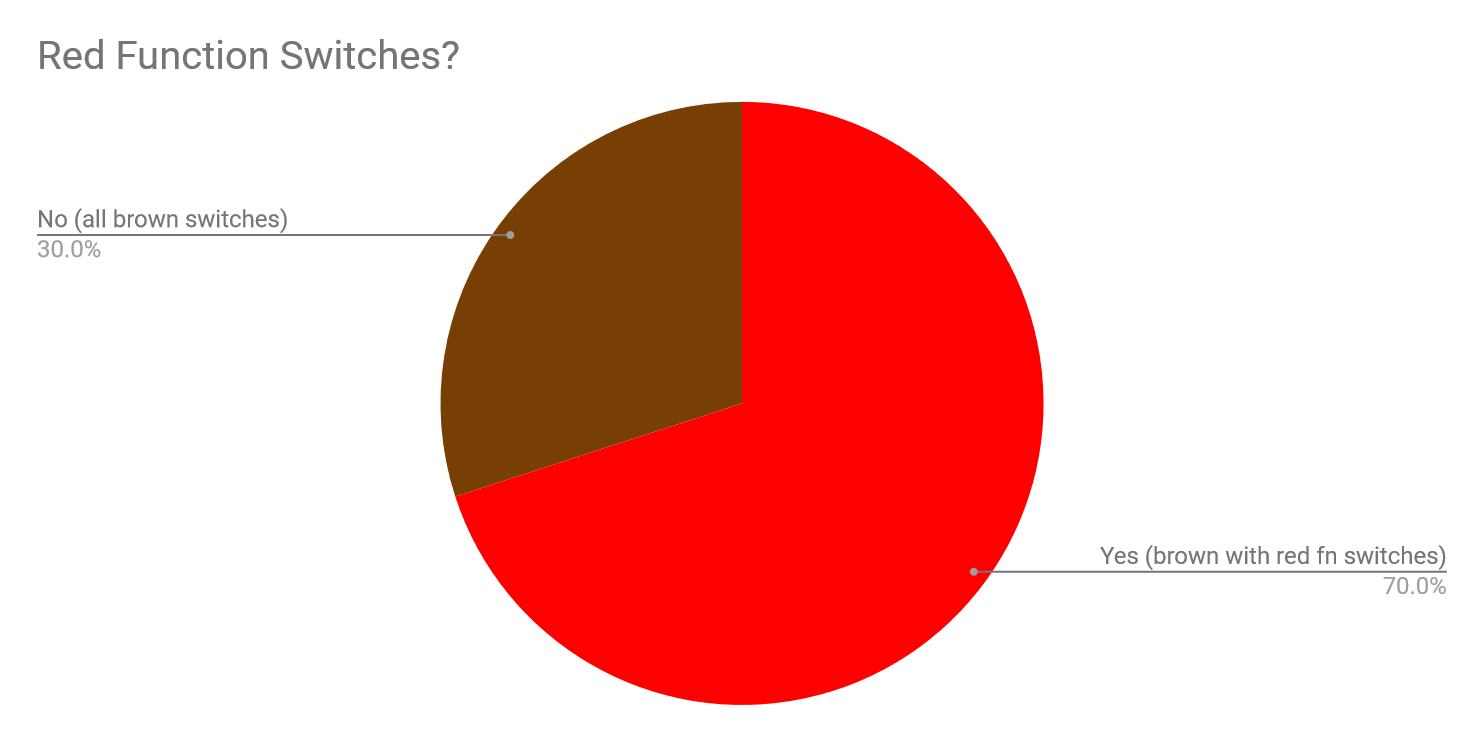
With a sample size of 10 people, this factor was studied as well. The result was conclusive. People were excited about the mixed switches ergonomically and as a homing concept.
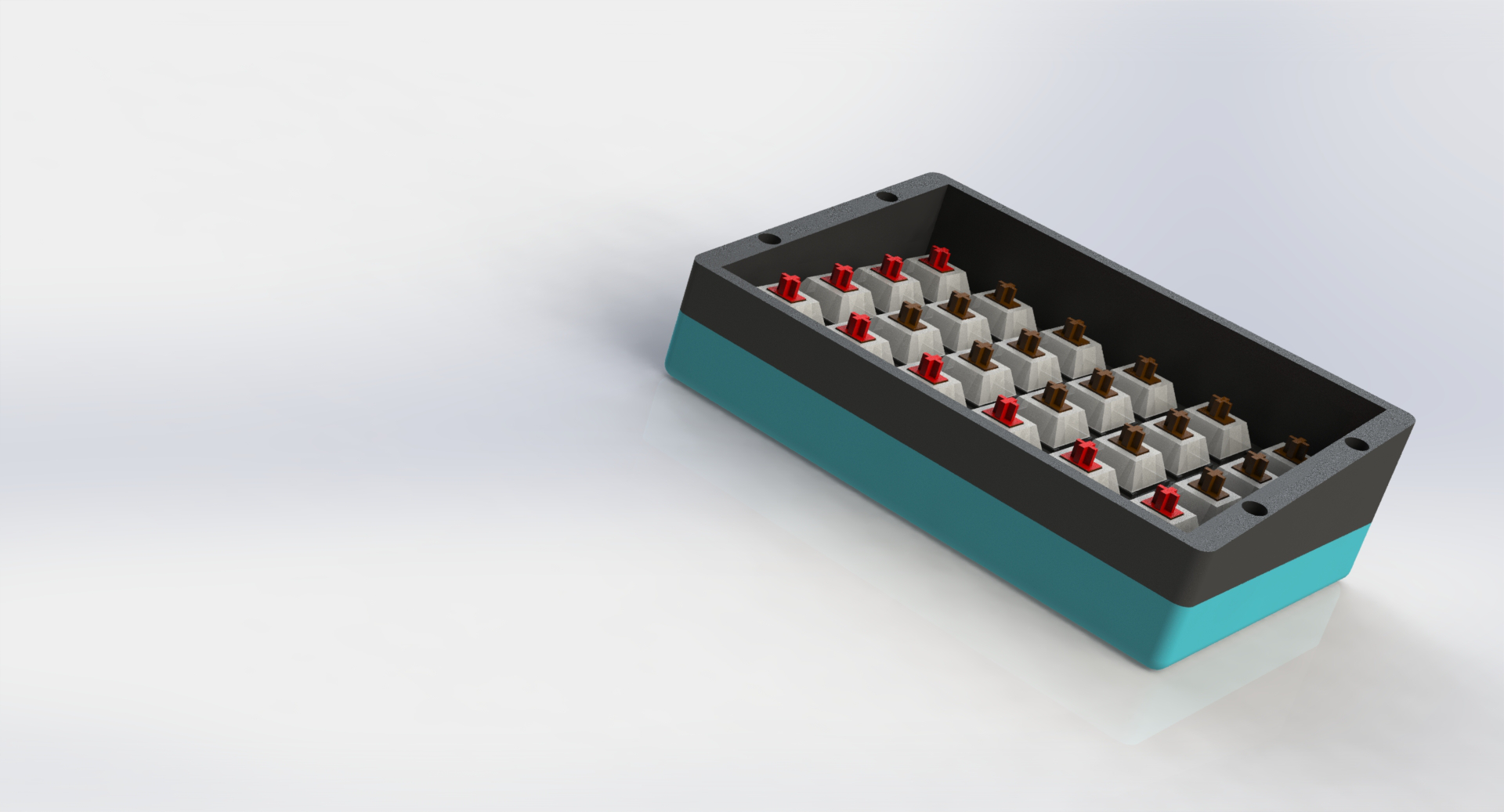
Shown below is the switch layout for the left half.
Related Work
The mechanical keyboard community is massive and incredibly inclusive. There is a constant highway of idea sharing and crowd-based single-run-manufacturing purchases called “group buys”. The original PCB, called the “Let’s Split” for this project came from a group buy. The idea, created by reddit user wootpatoot was to make a split ortholinear PCB that could become a new standard in case design. From it, there have been a bounty of case designs and discussion around the potential of the PCB.
The mehkee acrylic kit helped with the dimensions of the initial plate design. It is a 16-piece assembly and does not enclose the keyboard.
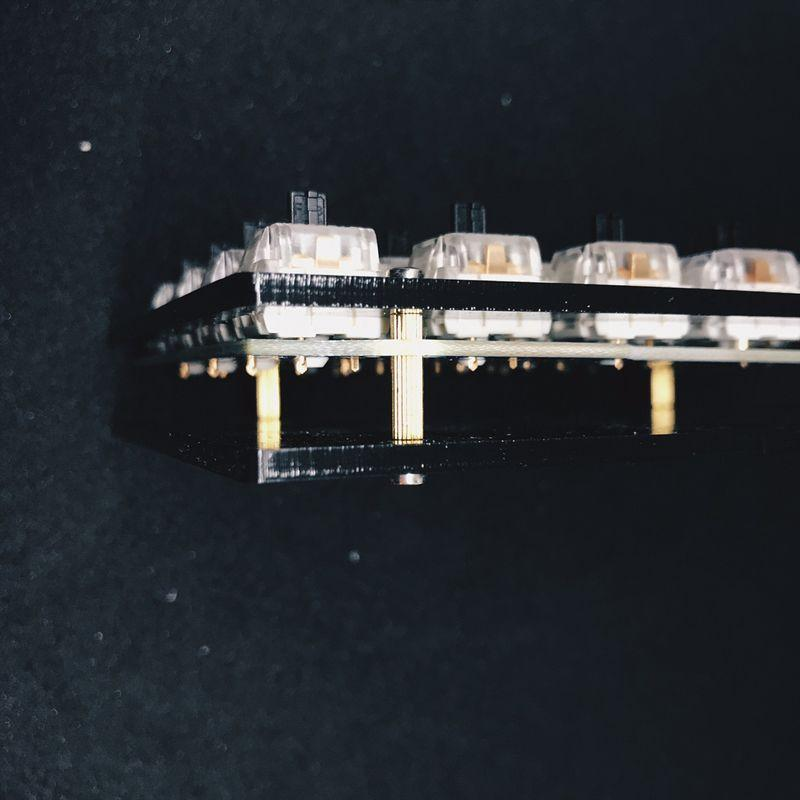
Tsukaworks’ Let’s Split Case is a two-piece 3D-printed assembly which is simply a robust and blocky stand for the keyboard. It does not include internal lighting or portability.
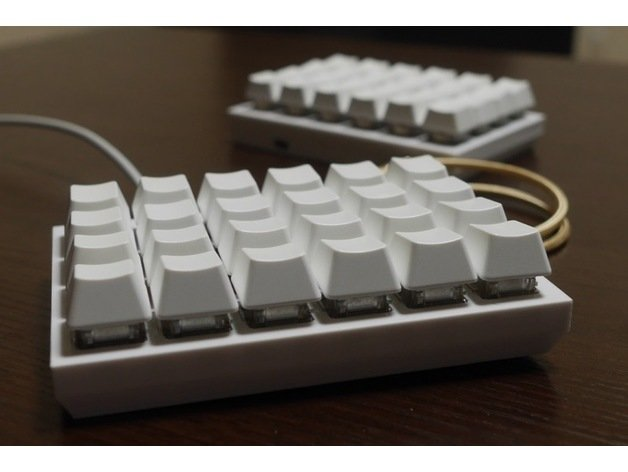
Tamagatonoo’s 80’s inspired case has many of the same characteristics as Tsukaworks’, being simplistic, boxy, and robust. It does not fold or dampen or have lighting.
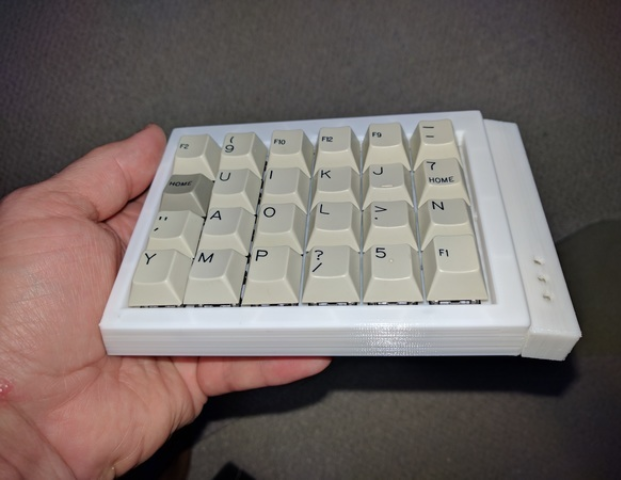
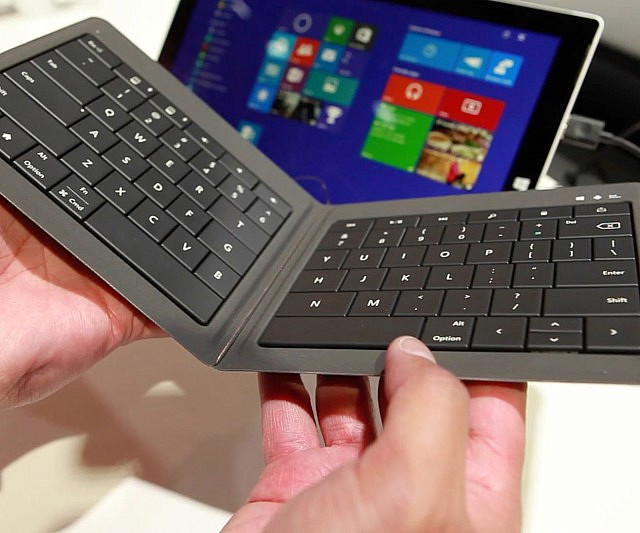
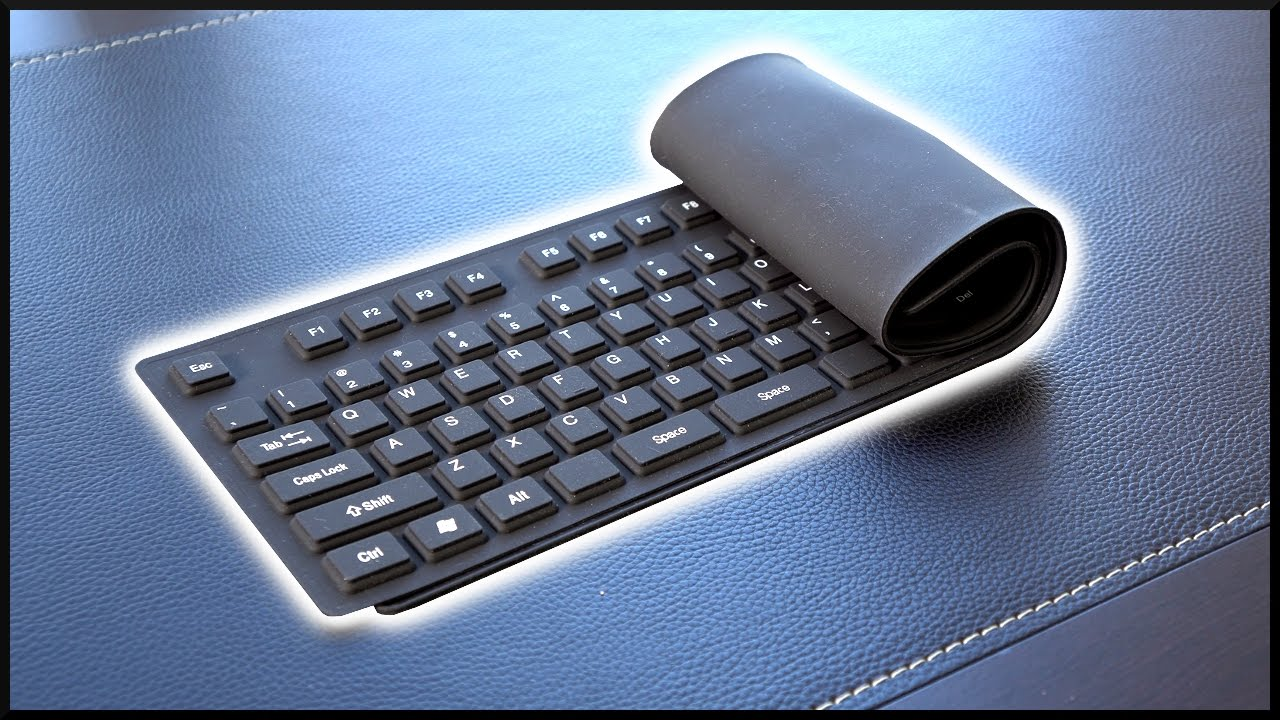
Other collapsible keyboards like the ones shown below deliver portability, but do not feature mechanical switches or custom-programmability. They are also prone to failure.
The Dygma Raise is an incredibly rare split keyboard which has all keys. The switches are staggered and it is very bulky. The lighting was a source of inspiration.
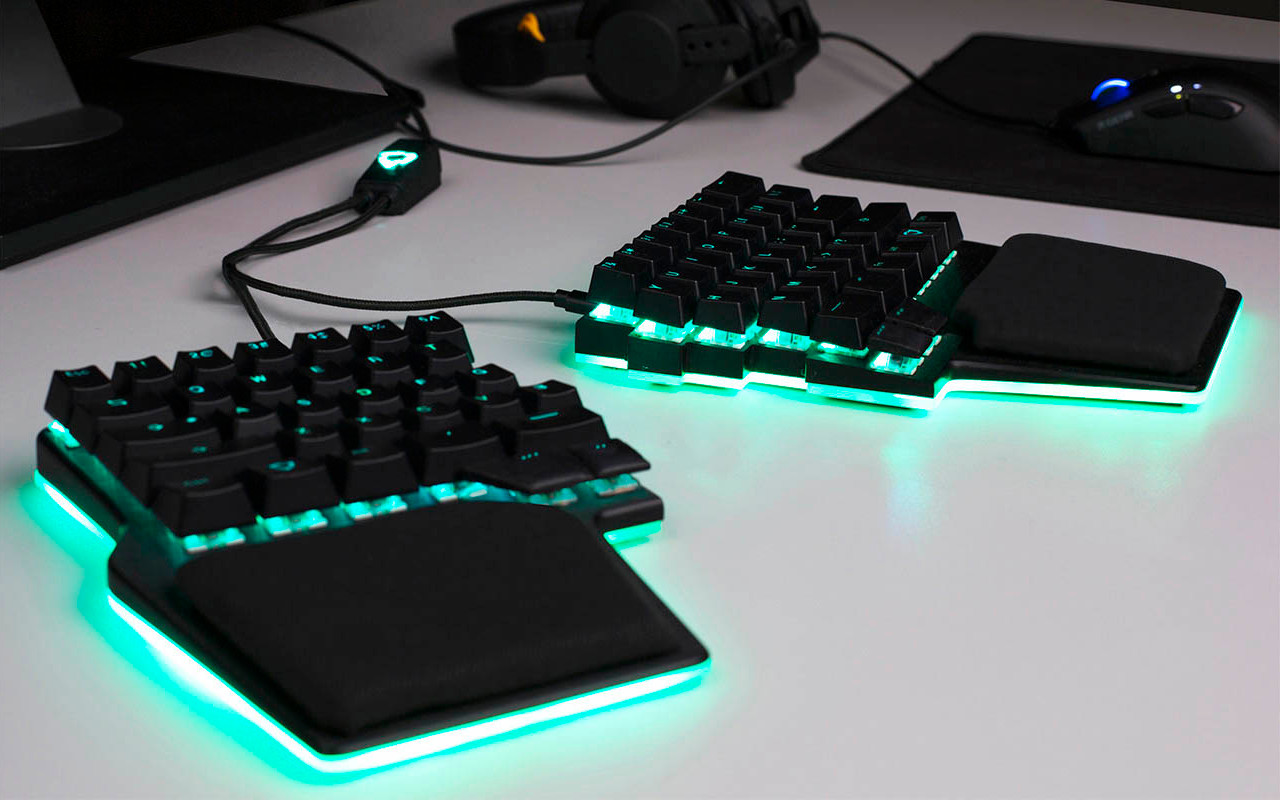
None of these keyboards solve the problem of portability with protection, which is a key point in the design of the Better Mechanical Keyboard.
Analysis / Verification
To analyze the Better Mechanical Keyboard, one must first take into account the criteria and goals for the project. The Better Mechanical Keyboard was ideated as a quiet, comfortable, protected, and functional keyboard. The final result achieved highly in its function as a keyboard, using a combination of switches to create a homing experience that is based on feel alone. Its collapsible function was highly successful, with a sleek design that goes together intuitively. The Better Mechanical Keyboard performs quietly, using a central dampening solution for each side of the case. Ergonomically, the keyboard is comfortable to use, and allows many different configurations for a multitude of setups, making it extremely versatile.
To get a professional opinion, a discussion was started with Evan, the creator of The Van Keyboards. The Van Keyboards design, manufacture, and sell keyboard cases, PCBs, and keycaps. This includes the famous MiniVan Keyboard, which has received extensive praise from keyboard enthusiasts online. Evan explained “it’s a great start with a lot of promise,” and said that he has played with similar concepts himself. He had one qualm with the board, saying that a boxy design can be less desirable than a flat-packed design. This is valuable input, but lies outside the goals of the project which include protection of the board itself. A flat packed keyboard may be more easy to throw into a briefcase, but the Better Mechanical Keyboard is designed as a product which can be collapsed and tossed into a bag with no worries. The Better Mechanical Keyboard is successful in its product design and achieves the goals it set out to achieve.
Future Work
The future of the Better Mechanical Keyboard will culminate in a group buy. Group buys are the preferred and the only way to purchase custom cases, keycaps, and kits in the mechanical keyboard enthusiast community. Before the Better Mechanical Keyboard is ready for that, however, there are a few more design refinements and explorations to be made. The connectivity of the keyboard could be improved. Although connectivity was not a central tenet of the project, which was mostly an exploration in industrial design, a Bluetooth connected system would be a huge value-add for the end product. The attachment between the two halves could also be improved using stronger magnets and an alignment system. Beyond these improvements, the case design could be further refined to be even more precise and ready for manufacturing in more materials such as metals. Ultimately this will culminate in a thorough design and product to be sold through a group buy. A group buy is a single fundraising run, similar to a kickstarter, where customers purchase their cases, then the money is pooled into a single manufacturing run, which is then shipped many months later. The final touches for this project would be to completely flush out the branding system, creating a toolkit for marketing the keyboard.
Conclusion
What started as a passion for aesthetically customizing mechanical keyboards has come to a point with this project. The Better Mechanical Keyboard began as an initial exploration into the industrial design of custom mechanical keyboards and developed into an almost market-ready product. The design was created in pursuit to solve a relatively simple problem: to make mechanical keyboards more usable in everyday life for the everyday user. With technology continuing to become a more prevalent part of everyday life, the Better Mechanical Keyboard aims to help improve communication between humans and technology. As technology floods our daily lives, there are more spaces to improve and create solutions that make our digital well-being healthier. From digital artists to professional gamers, this can happen through ergonomics and more creative workspaces. The Better Mechanical Keyboard functions as an elegant, modular, protected, and functional interfacing solution that will allow more open thought and efficiency in humanity’s convergence with technology.